Week 13 — Interface & Application Programming
Building a Web-Based Control Panel for a Kinetic Object
This week I focused on interface and application programming, using my final project, Glowmorph, as both the motivation and the testbed. My goal was to create a lightweight, web-based control panel that could communicate directly with Glowmorph over USB serial.
Rather than relying on prebuilt interfaces or opaque software, I wanted to understand what it means to build a tiny application from scratch—one that translates user input into physical behavior in real time.
The interface needed to:
- Connect to Glowmorph via Web Serial
- Switch between motion modes (continuous / pause / manual jog)
- Adjust speed and amplitude
- Send simple, readable text commands to the microcontroller
Because my final project uses a Pico W, I initially imagined controlling the system over Wi-Fi. However, after early instability and power issues, I decided to stay focused on Web Serial and HTML sliders first. Removing unnecessary complexity made it easier to isolate what was actually going wrong.
Getting Started (and Admitting My Limits)
My programming experience is limited, and time was even more constrained. Glowmorph is mechanically complex, and I didn’t want to spend my final weeks debugging avoidable software mistakes. I treated this assignment as a proof of concept: could I reliably command a kinetic system from a browser without crashes, brownouts, or unsafe motion?
To accelerate the process, I consulted ChatGPT extensively to help scaffold both the HTML interface and the Arduino logic. Rather than blindly copying code, I treated the interaction as a collaborative debugging exercise—testing, breaking, observing physical behavior, and iterating.
The full conversation is documented here: ChatGPT session link
HTML Side: A Minimal Control Panel
I started with a very simple HTML page that runs locally in Chrome and uses the Web Serial API. The interface is intentionally bare: a connect button, a few mode buttons, and two sliders.
All commands are sent as plain-text strings (for example, CONT,
FWD, or SPEED 1.5). Keeping the protocol readable turned
out to be crucial for debugging once things began behaving unpredictably.
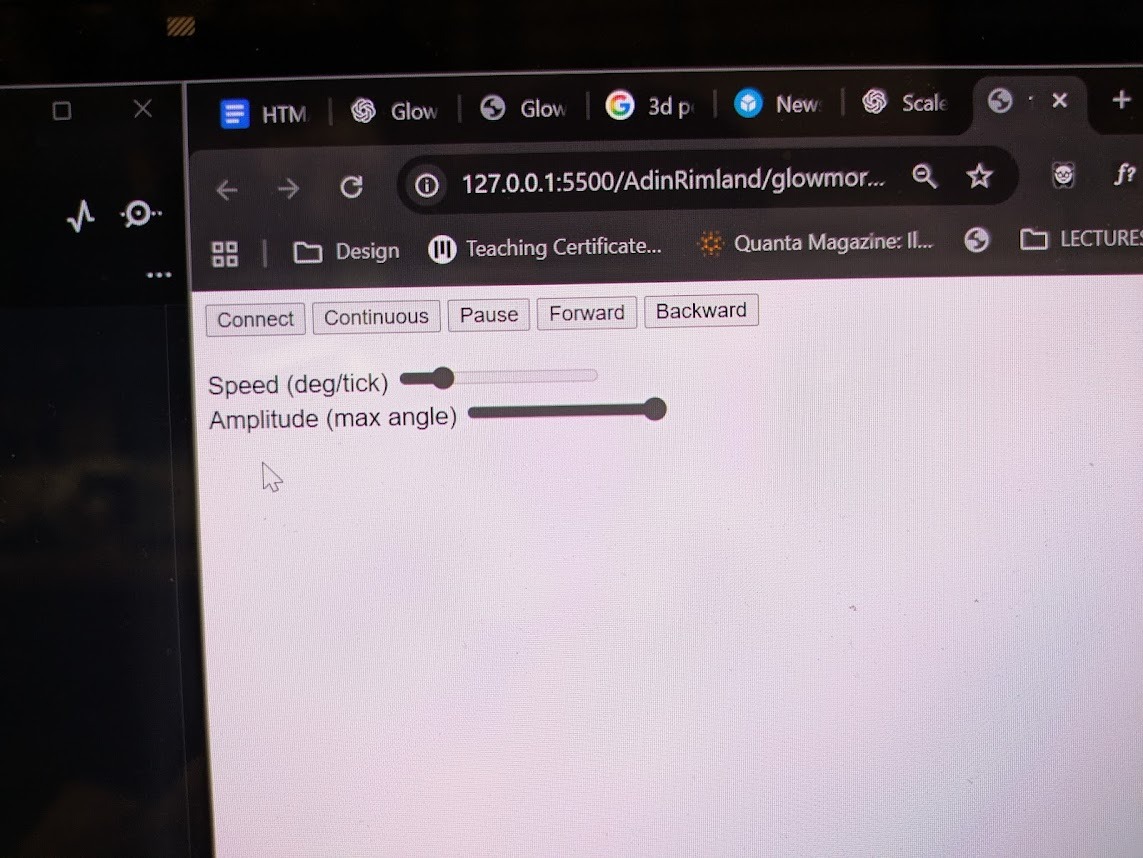
HTML showing basic motor control: Speed, amplitude, and some controls over motor behavior.
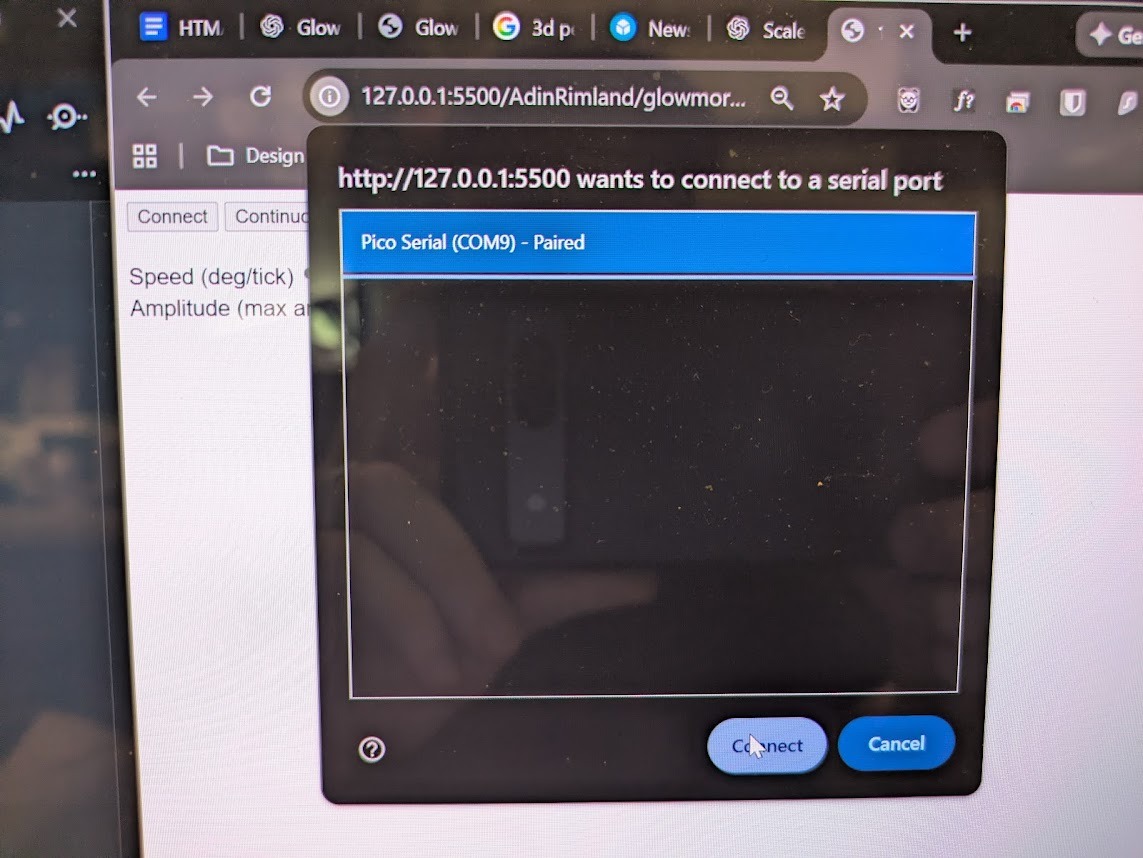
Serial port connection implemented through HTML
HTML (Web Serial Interface)
Speed (deg/tick)
Amplitude (max angle)
Arduino Side: Code Meets Physics
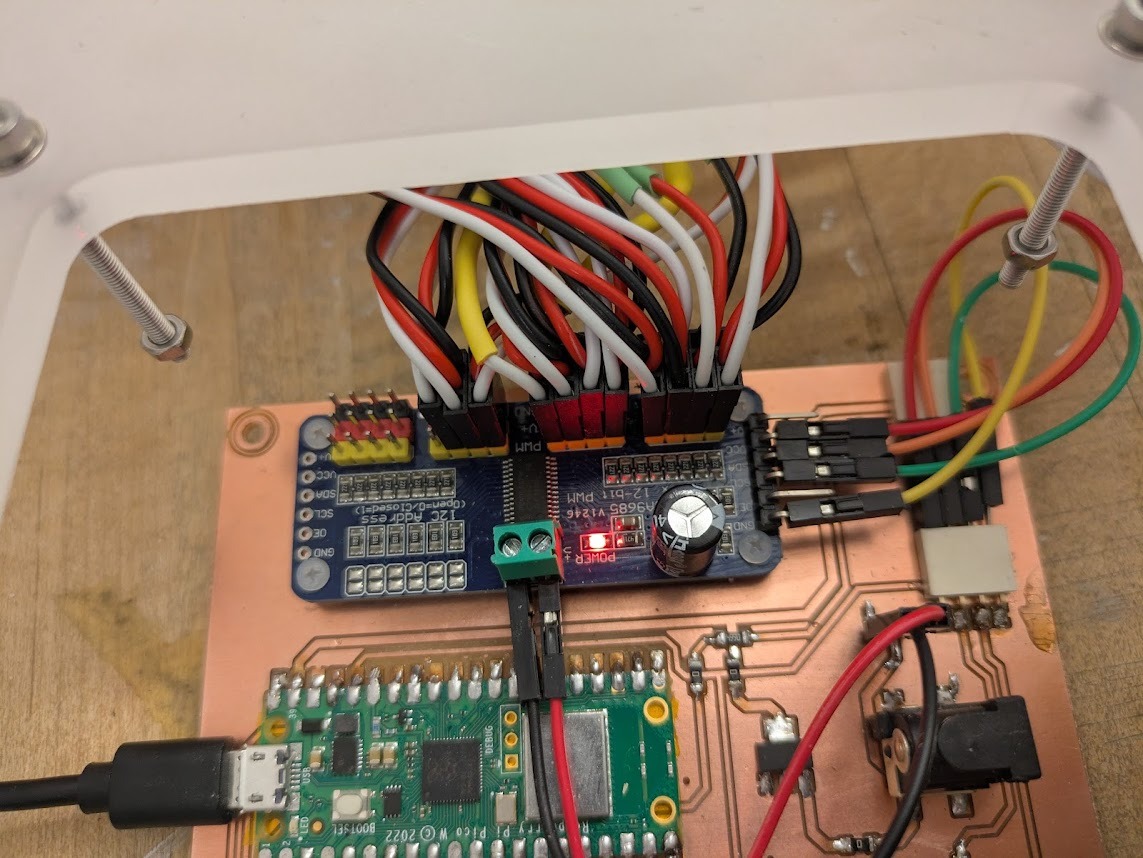
Yikes! That's a lot of motors!
My initial attempt tried to drive all 11 motors in Glowmorph simultaneously. Although the code compiled, the physical system repeatedly browned out, seized, or entered unstable oscillations.
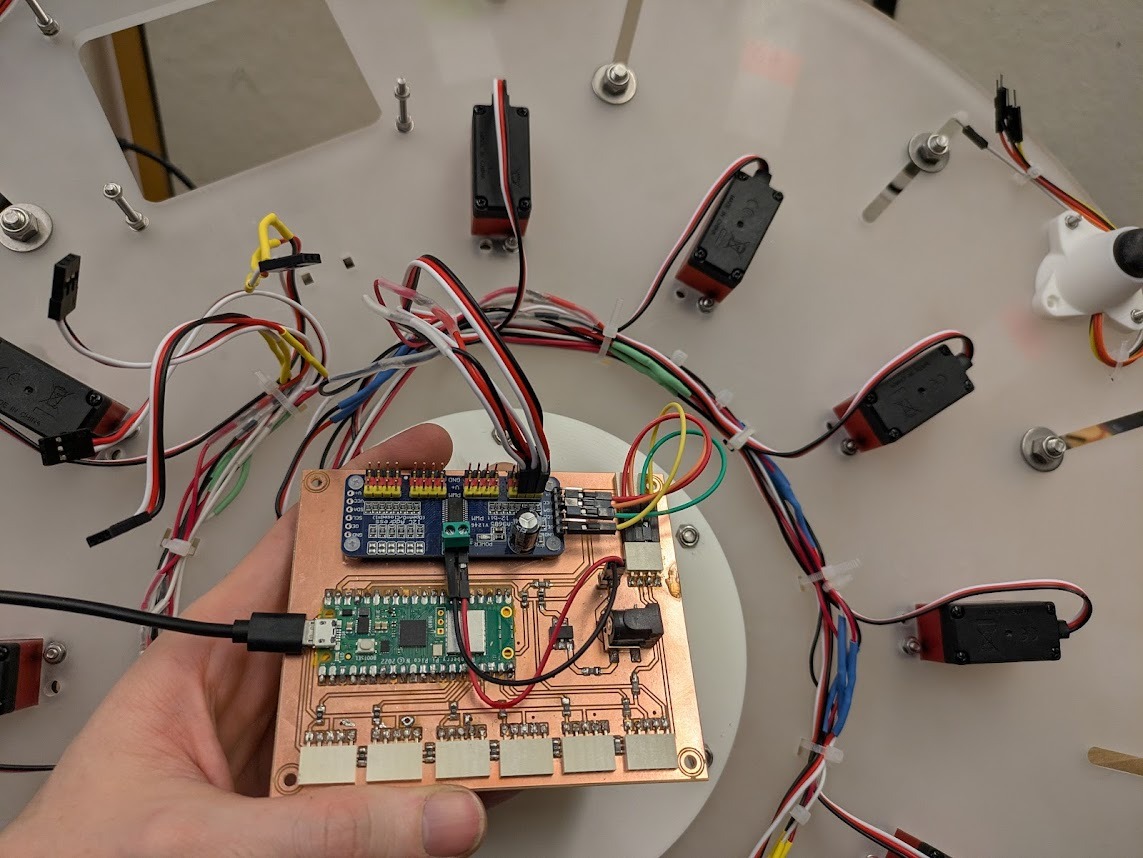
Rather than treating this as a purely software problem, I scaled the system back to one motor, and later to three motors. This revealed an important distinction between instant position jumps (which caused stalling) and smoothly slewed motion (which felt calm and controlled).
The key fix was introducing a target angle and interpolating toward it at a controlled rate. Button presses became gentle nudges rather than hard commands.
Arduino (Safe, Slewed Motion Control)
Takeaways
- Predictable behavior matters more than visual polish.
- Physical systems aren't guaranteed even if digital dimension work. Logic that works digitally can fail mechanically.
- Scaling down is not failure! One motor taught me more than eleven ever could.
- Readable protocols matter. Plain-text commands made debugging far easier. The challenge with using language models to help with rapid code develoment is following along and learning from it, rather than let it think for you
This week gave me confidence that Glowmorph’s behavior can be shaped intentionally. The control panel is no longer just a test tool, bt rather it’s becoming part of the project’s identity.