[done] write an application that interfaces a user with an input &/or output device that you made
Group Assignment
Please see this link for our section's group assignment, which includes my mini write-up.
Individual Assignment
I decided to use my output device from week 9 for the interface assignment. I wanted to make a digital synthesizer interface based on tkinter. I used chatgpt to write the code (in order spend more time on my final project, the deadline is rapidly approaching!).
Starting with Niel’s hello.TB67H451.RP2040.wave.ino code, I fed the following prompts to chat chatgpt:
Please simplify this code so that it simply plays a single note
Can you write a version that allows me to update the frequency over serial?
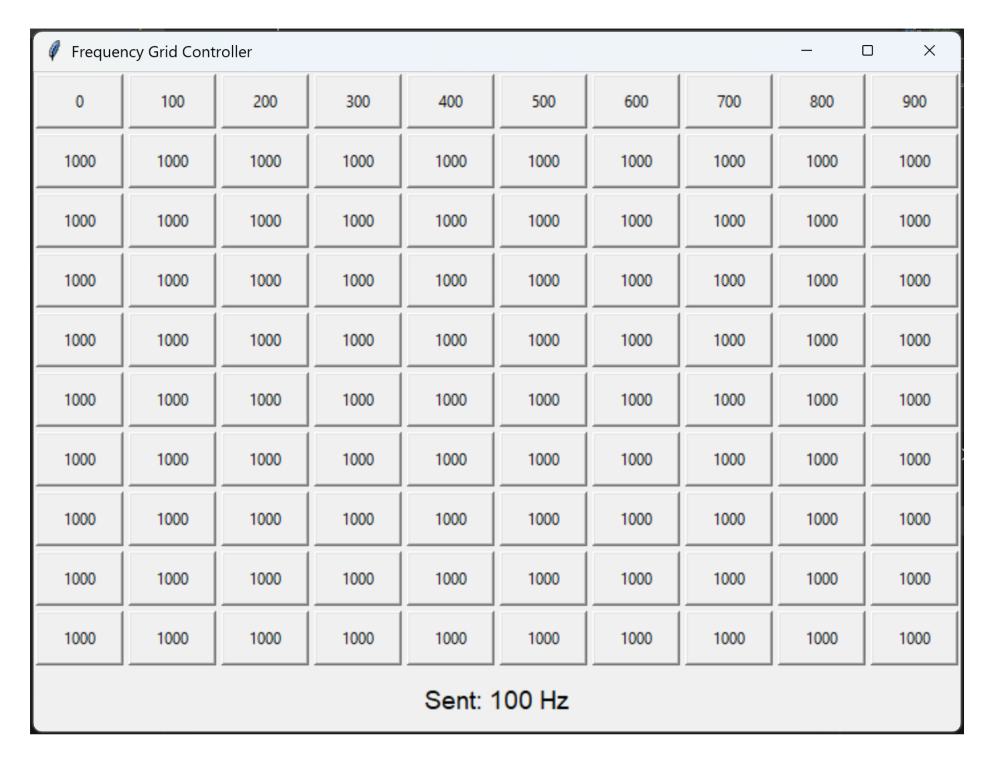
This is great! Please now write a simple graphical user interface using TKinter with a 10 by 10 grid of buttons, each of which is assigned a frequency. To start, let's just assign the frequencies from 0 to 1000 in steps of 100. Each button should trigger the corresponding value to be sent out over the serial port.
Note: I made a mistake here and meant to say steps of 10
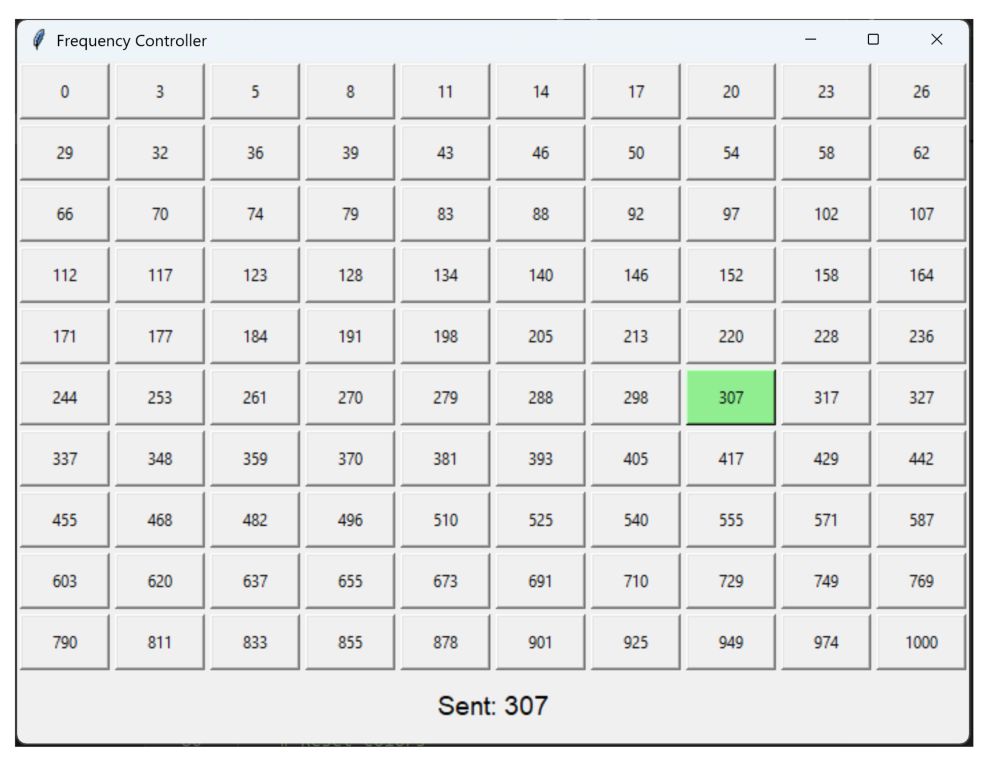
Please do the following: (1) Add ADSR controls (2) change the mapping of button number to frequency to be logarithmic, going from 0 to 1000 Hz (3) highlight the button in green that was just pressed (4) add a Start button, which turns on the sound, and a Stop button
Note: Realized I would need to update my arduino code for this to work and decided not to go down that rabbit hole
please remove the ASDR controls and start/stop buttons
The buttons are not turning green. Can you make sure that feature is in there?
this is good except there are a lot of repeat values in the buttons. Please make them go from 0 to 1000 on a logarithmic scale.
Downloads
Both the code running on the RP2040 and the tkinter script for the GUI can be found here code.zip.