Introduction
The target for this week is to make an interface based on HTML for my final project. The hand controller of the stargazing chair only has a small OLED screen, and the hardware buttons are limited by the pin numbers. However, when the device is connected to the phone’s hotspot, it can share the information from the internet and show all information, and interact with a website-based local server. With this wireless HTML application, the user doesn’t need to hold the controller with wires anymore, and the functional buttons can be unlimited!
As for the smart AI chatbot, I want to run the server on mobile equipment, like on a phone, rather than bringing a heavy, power-consuming computer with a chatbot.
The development of the HTML interface
The HTML is saved on the Raspberry, and every time it’s opened and connected to the WIFI, it will show the IP address (for example, 192.168.43.91) on its OLED screen. To open this web-based interface, the phone or computer that is connected to the same WIFI just needs to type in this IP address on the browser, and then an astronomical theme red color (to protect eyes) interface will show up like this:
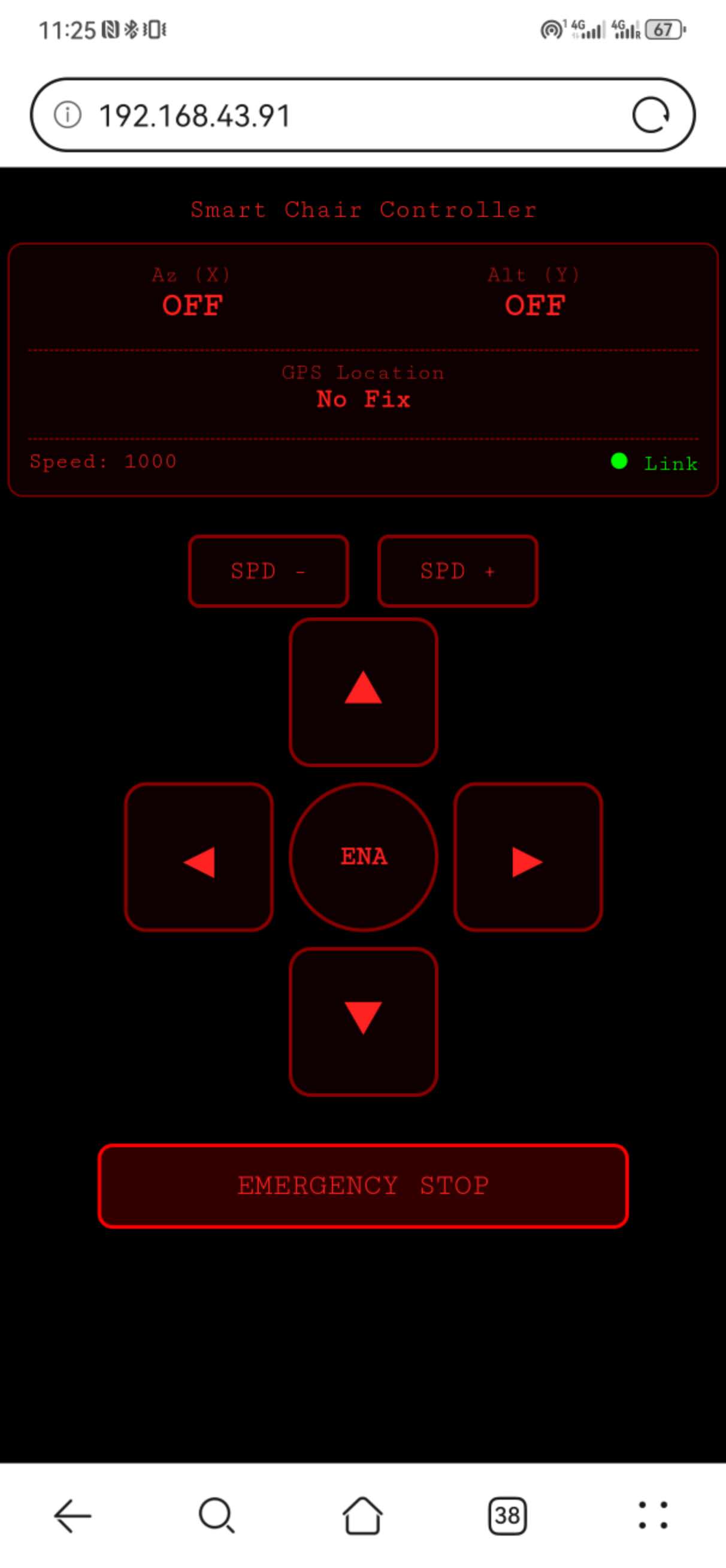
The updates from the interface will be updated every 500ms, and to avoid the MCU from reaching memory limitations, there is also a dynamic memory cleaning logic in the code. The status of the controller can also be changed by the buttons on the board, and it will be synchronized to the HTML interface.
Here is the code to make it work: HTML: index.html
MCU Micropython: main.py
The exploration of running Python on the phone
To run Python on an Android phone, I tried Termux first. However, it can’t work because the compilation of some big libraries like Scipy on Termux is very hard. Also, Termux is totally running with command lines, which made it even harder to run the server every time.
Then I turn to the Pydroid 3, because this application has a better GUI, and it also has the pre-compiled additional library to download (Pydroid repository plugin), including Numpy and Scipy.
Then a new problem emerged: the FLAC conversion utility was not available on the phone. The speech recognition library can’t work, so the audio input can’t be recognized and transcribed into text.
The solution to this bug is simple. Since I’m using the Gemini API, it accepts the pure audio input. I don’t need to transcribe it first. However, the output has a much bigger problem on the phone.
The error is reported as: RuntimeWarning: Couldn’t find ffmpeg or avconv
This means that, when the text output was translated to the audio file by gTTS, it can only form .MP3 format files, but the speaker needs WAV format files. On the computer, the code runs ffmpeg to decode MP3, but the phone environment doesn’t support ffmpeg. This seems to be a dead loop.
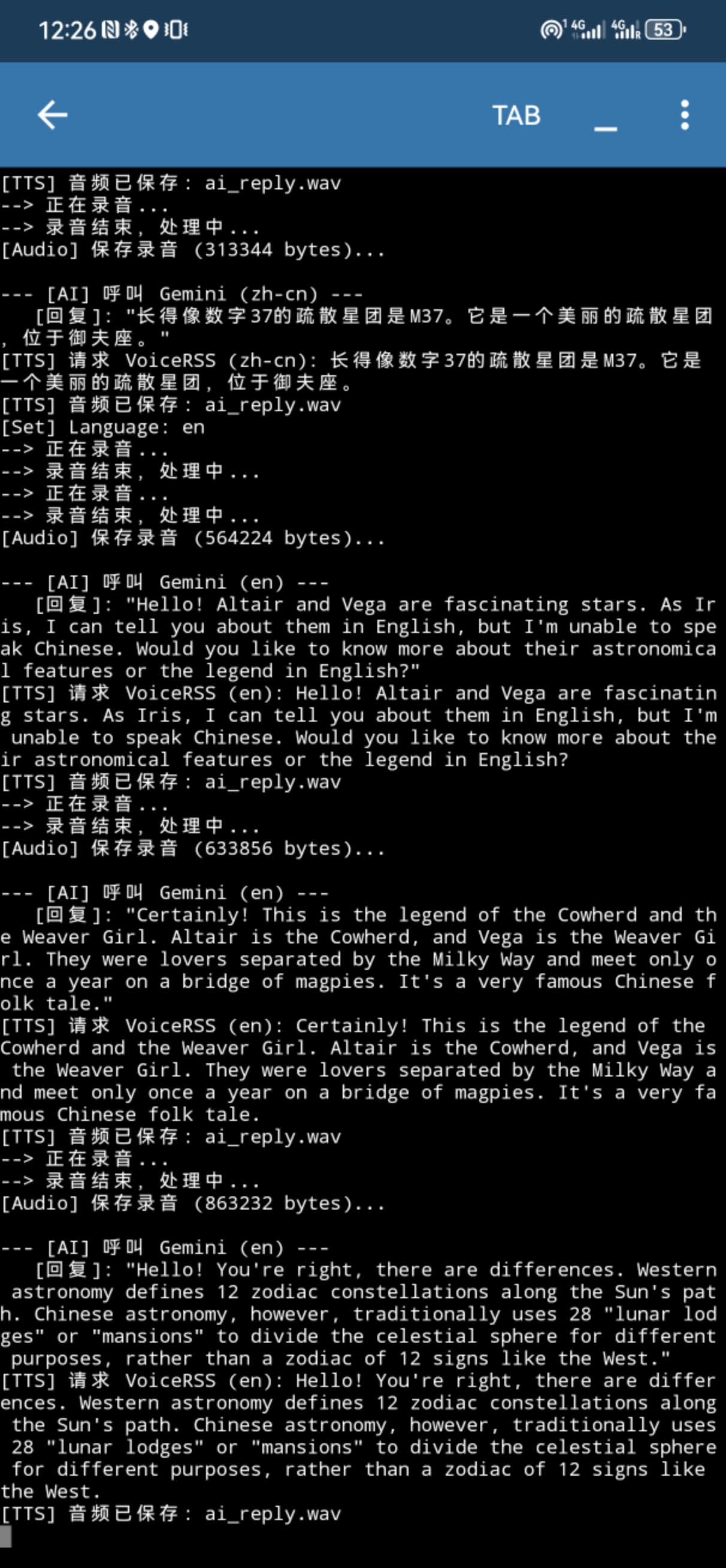
The only solution for this is that I don’t need to generate audio files on my phone. I can use another API from VoiceRSS on the cloud. It’s free, but I can only request 350 times per day, and it should be enough for my application scenario. And it finally worked! The terminal on the phone can normally show me the status and AI output on the screen:
Here is the Python code I ran on the phone: IRIS_for_phone.py