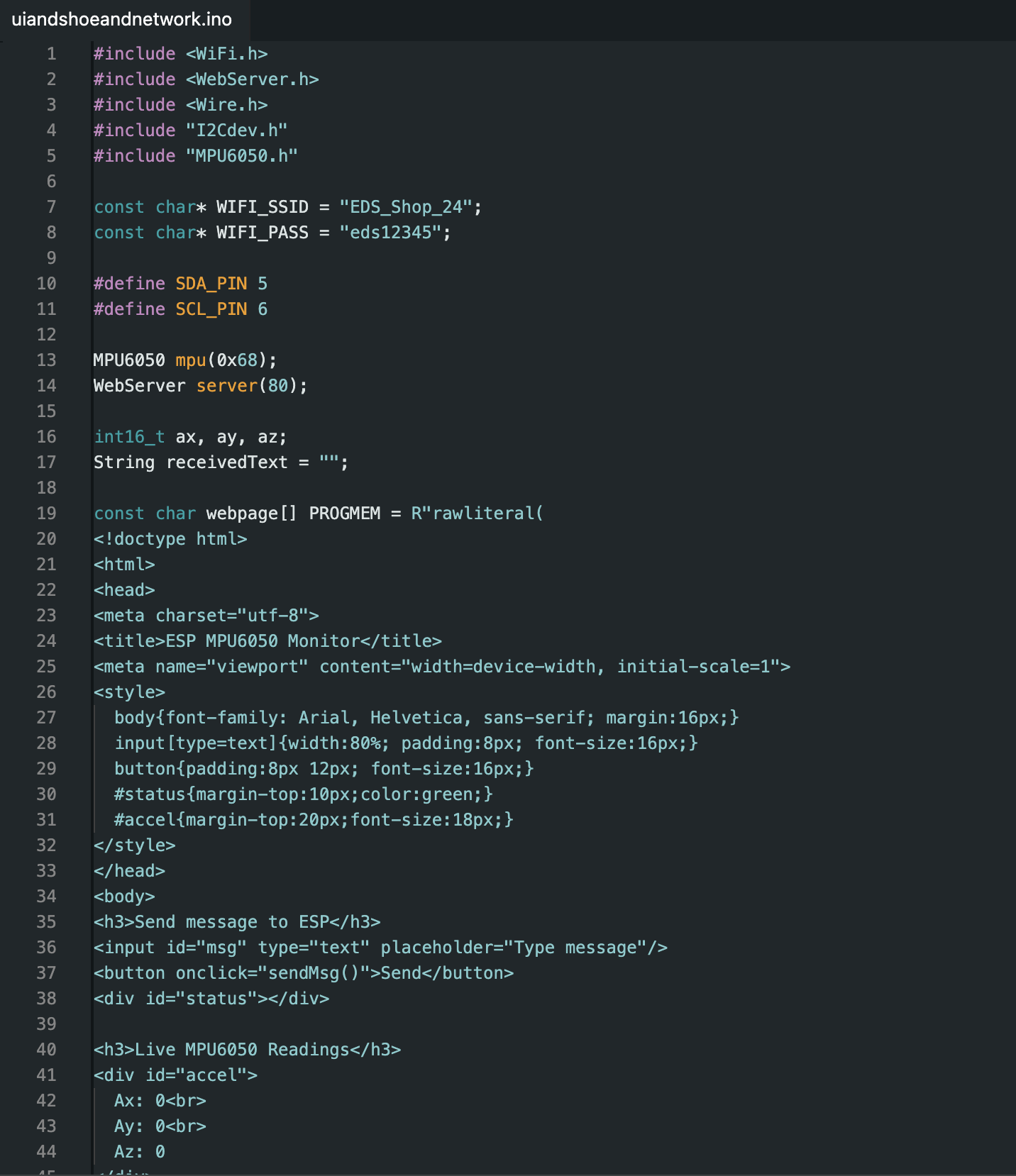
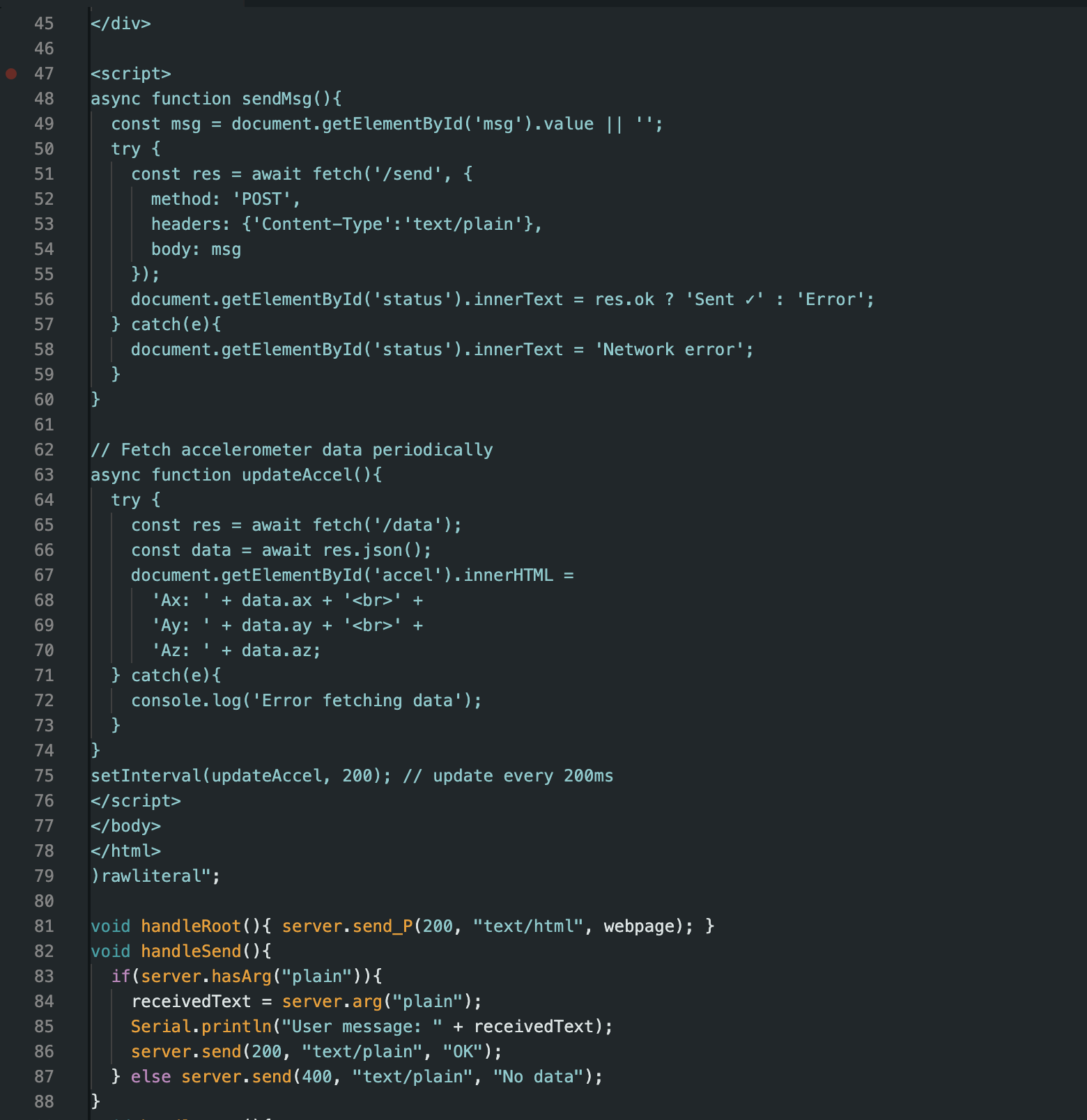
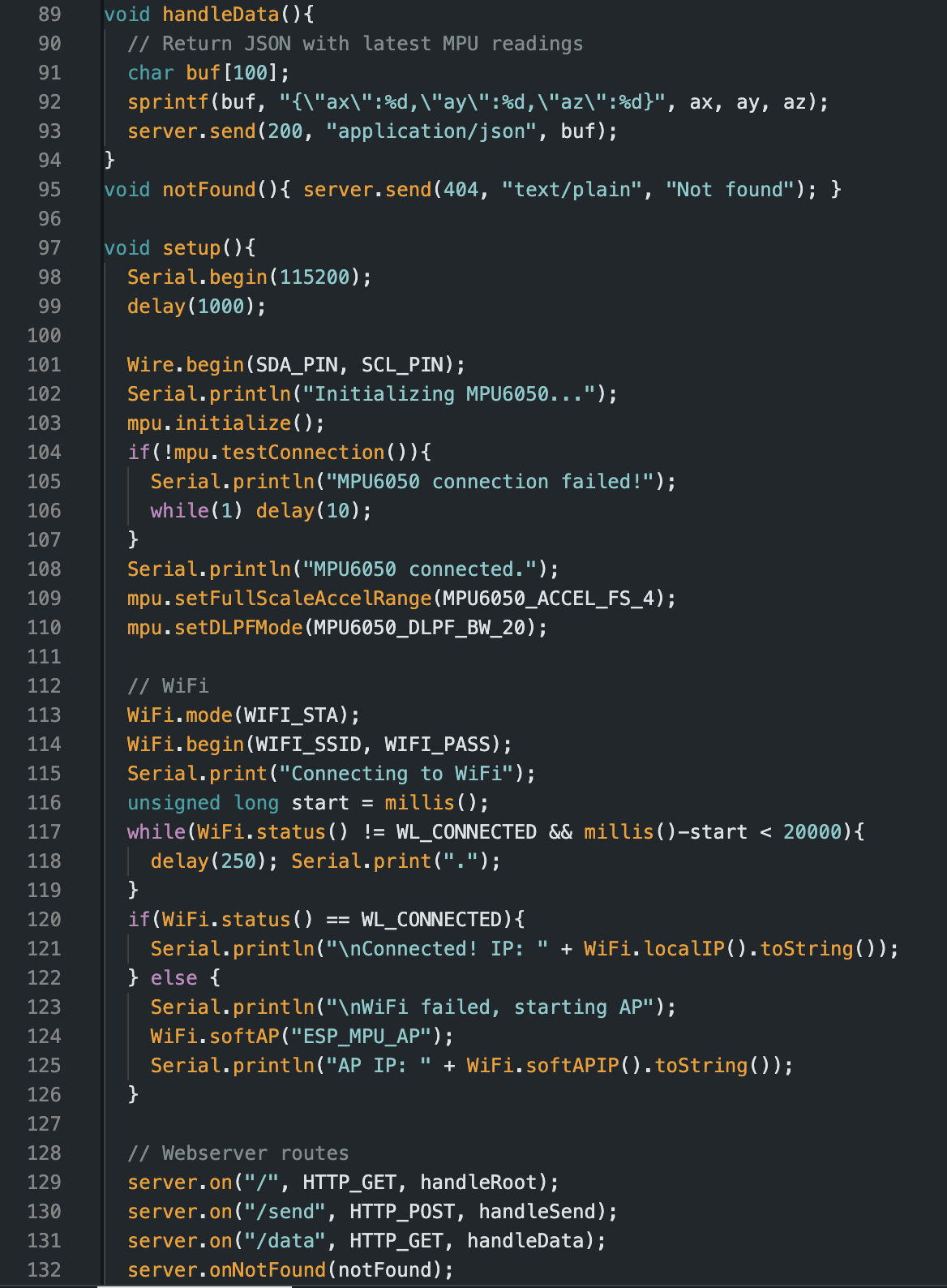
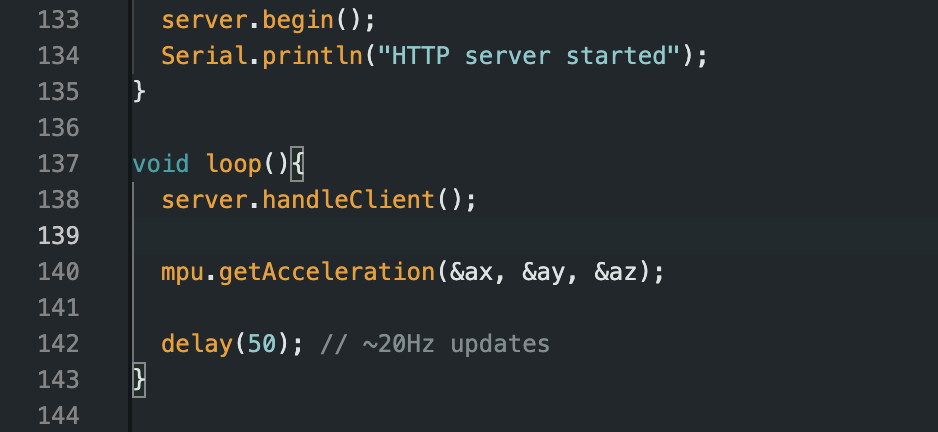
This week’s goal was to write an application that interfaces a user with an input and/or output device. Rather than designing a brand-new system, I extended the networked hardware from Week 11 into a meaningful UI.
Instead of relying solely on an onboard TFT, I intentionally chose to use a web-based UI. This allowed the interface to be:
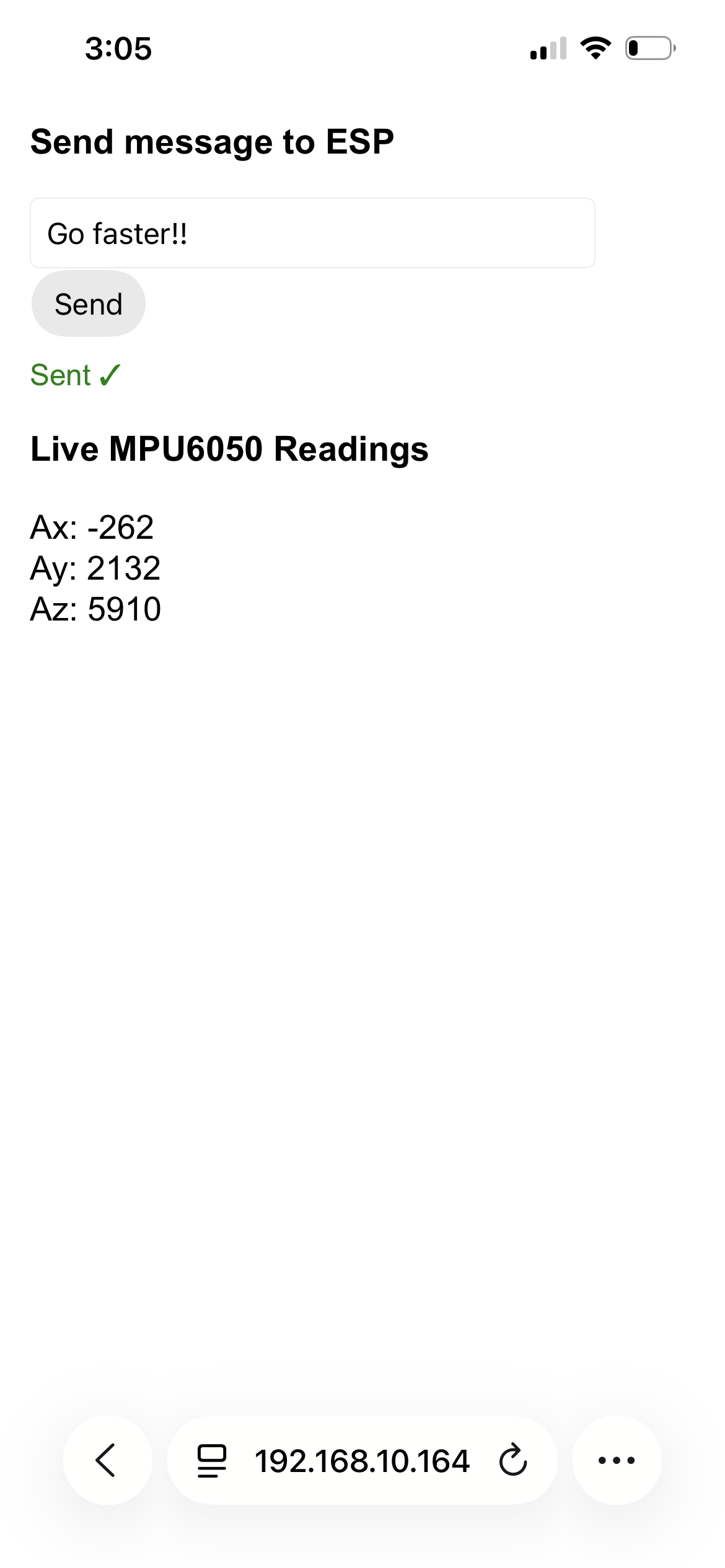
The ESP32 served a webpage that updated dynamically based on sensor input.
The MPU6050 accelerometer became the primary input device. Rather than raw numbers buried in the serial monitor, the data was presented visually and continuously to the user.
This transformed the system from a debugging tool into an interactive experience.
The UI emphasized clarity and immediacy:
While visually simple, the UI succeeded in doing its job: communicating sensor state to the user clearly and reliably.
Below is the PCB used for this interface, originally designed for my final project. Despite its original DFPlayer issue, it functioned perfectly as a UI and networking platform.
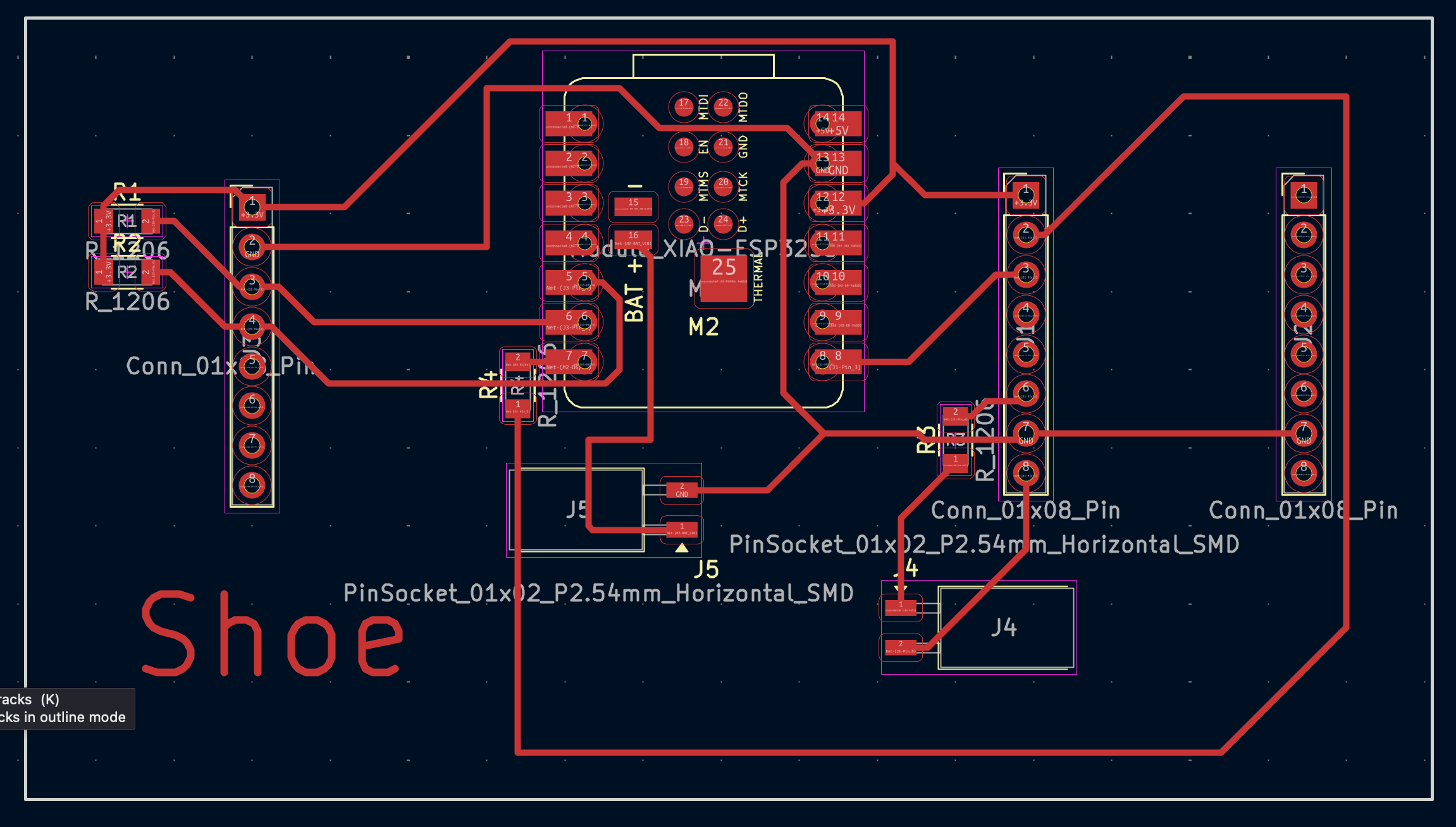
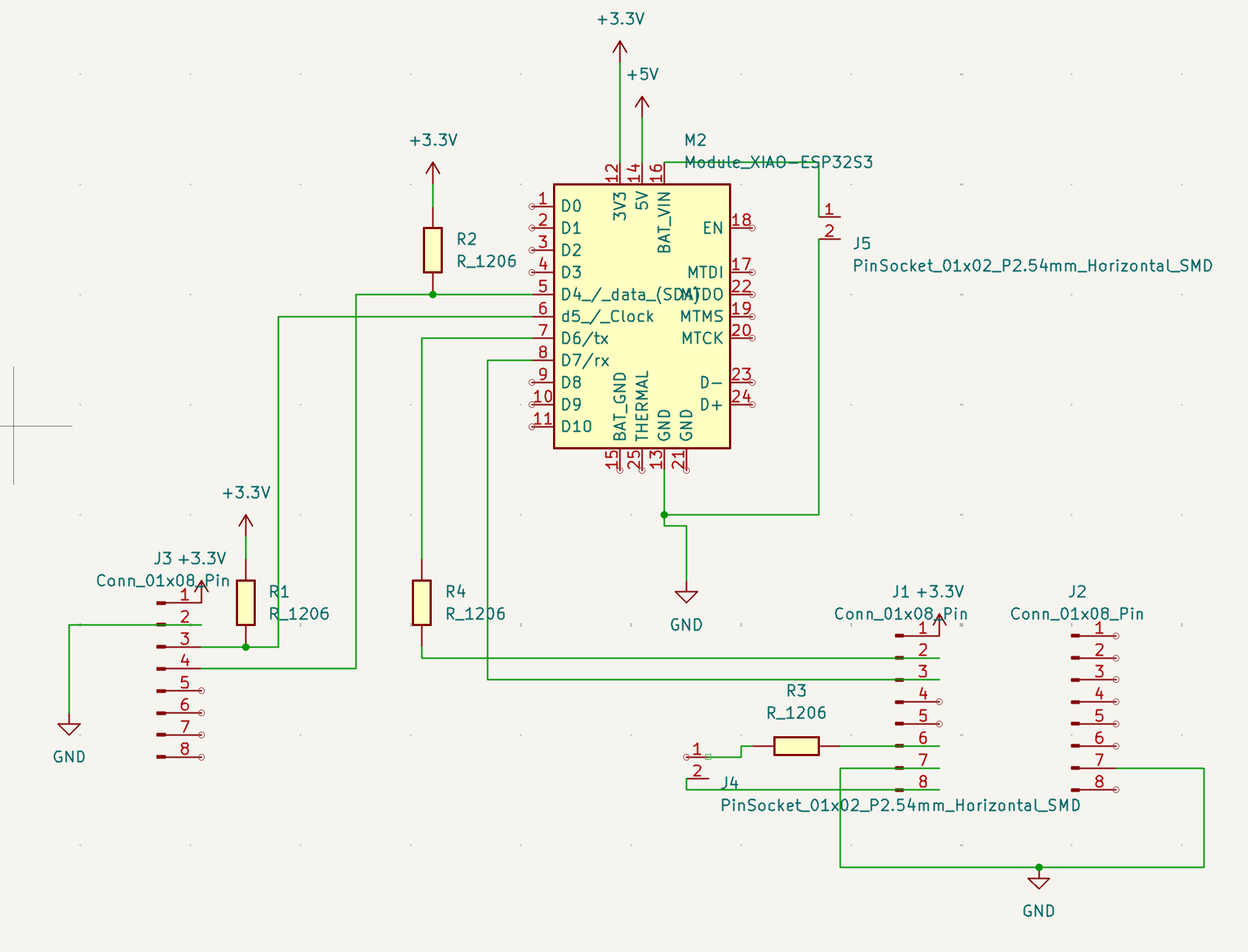
Although my original TFT-based UI plan failed, the web-based interface ended up being far more flexible. I learned that UI design is not about the screen you planned for, but the experience you successfully deliver.
Between Weeks 11 and 12, I built a complete system: input → processing → networking → user-facing interface. Despite missteps, the final result was functional, informative, and surprisingly robust.