This week’s assignment asks us to write an application that interfaces a user with an input and/or output device that you made.
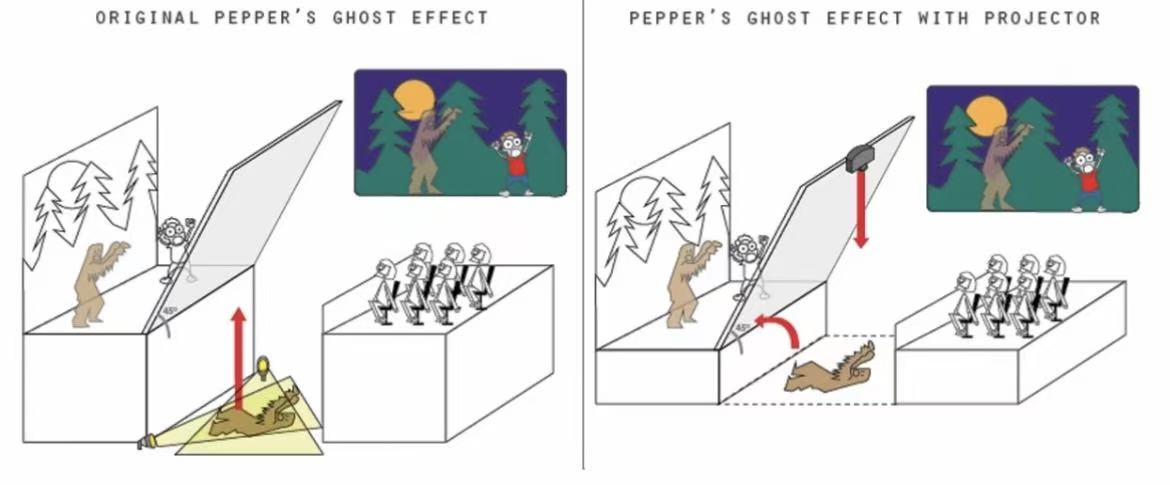
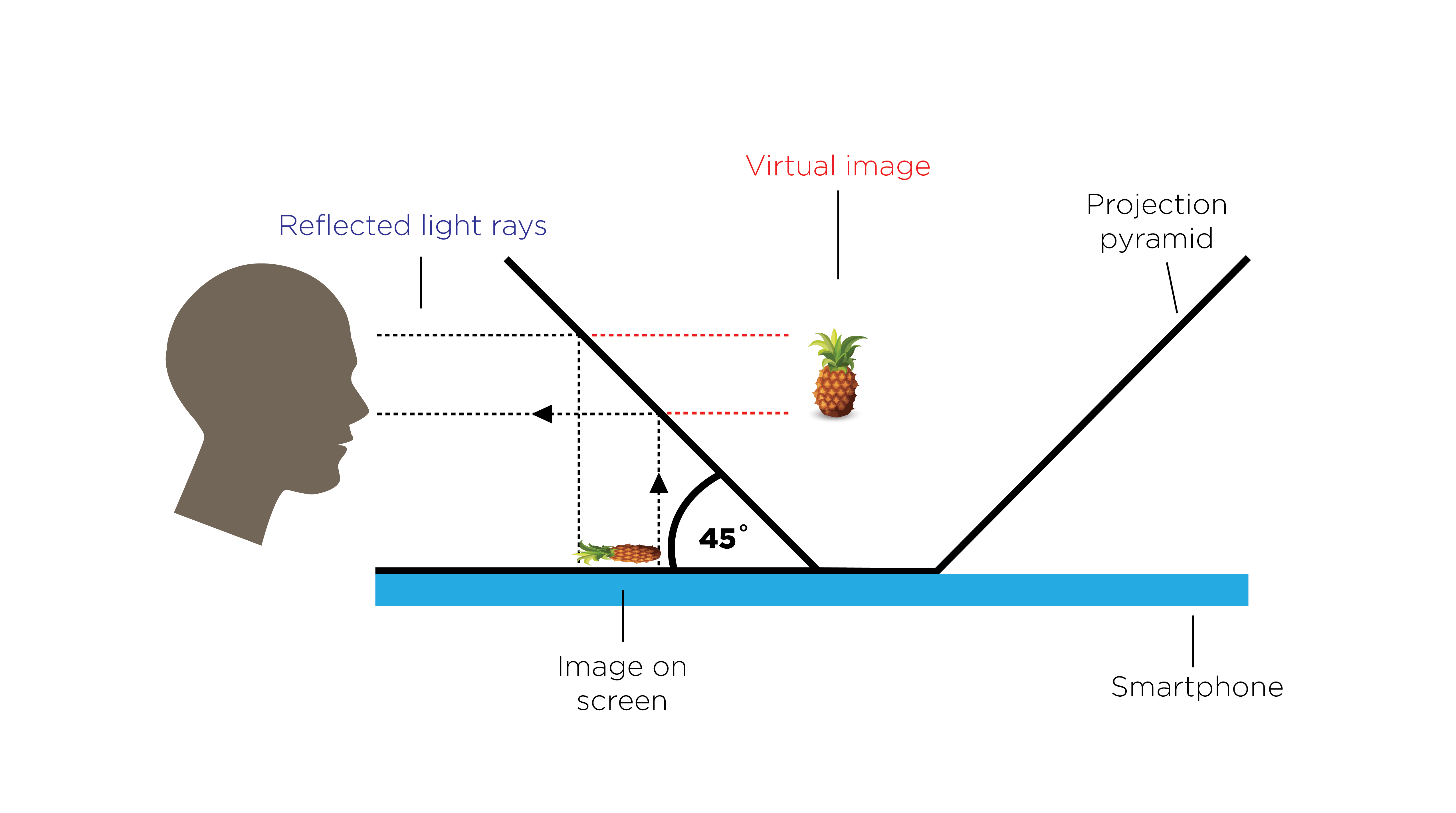
For my final project, the main output device is a Pepper’s Ghost holographic screen. Unlike the common four-view pyramid hologram, Pepper’s Ghost uses a single reflected image displayed on a transparent acrylic plate at 45°, creating a bright floating illusion inside the dome.
1. Understanding Pepper’s Ghost
A real animation—here, a glowing fish—is played on a hidden display surface. The acrylic plate reflects the animation toward the viewer, who perceives the reflection as a virtual object suspended in space.
2. Fabricating the Acrylic Projection Surface
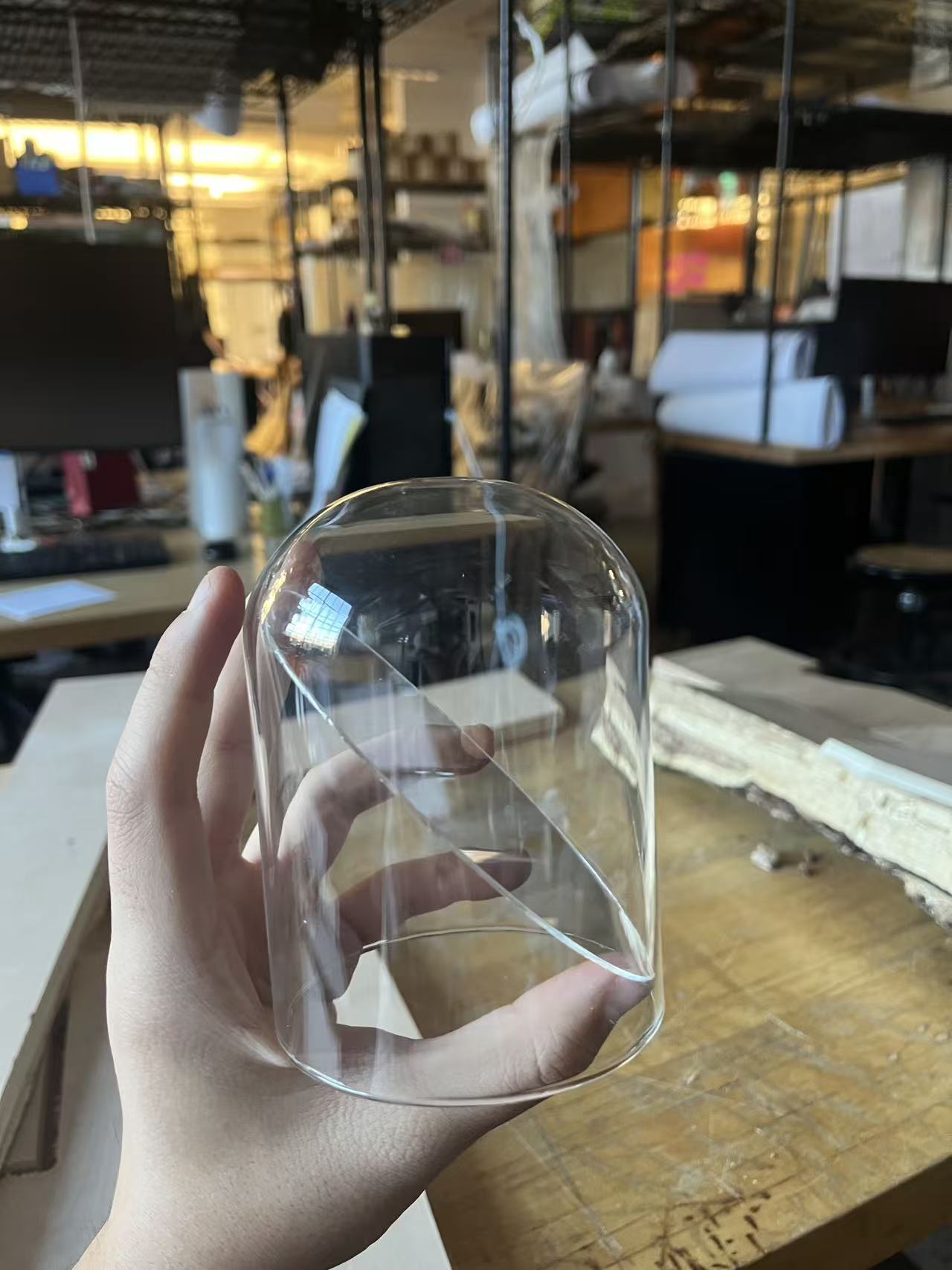
3. Designing the Fish Animation
Since Pepper’s Ghost only needs one image source, I created a single-view animation of a glowing swimming fish. The animation uses:
- high contrast
- a dark background
- soft glowing edges
- slow natural movement
4. Application Code — Pepper’s Ghost Video Player
To test and iterate quickly on animation variations, I wrote a simple Python player that loads a single-view hologram animation and displays it full-screen on black. This is enough to evaluate brightness, contrast, motion, and illusion quality inside the dome.
import pygame
import sys

VIDEO_PATH = "fish_ghost.mp4"   # single-view Pepper's Ghost animation

pygame.init()
screen = pygame.display.set_mode((0, 0), pygame.FULLSCREEN)
pygame.display.set_caption("Pepper's Ghost Player")

movie = pygame.movie.Movie(VIDEO_PATH)
movie_screen = pygame.Surface(movie.get_size()).convert()
movie.set_display(movie_screen)
movie.play()

clock = pygame.time.Clock()

while True:
    for event in pygame.event.get():
        if event.type == pygame.QUIT or (
            event.type == pygame.KEYDOWN and event.key == pygame.K_ESCAPE
        ):
            pygame.quit()
            sys.exit()

    screen.fill((0, 0, 0))
    screen.blit(movie_screen, (0, 0))
    pygame.display.update()
    clock.tick(60)
This minimal player lets me test animation timing, brightness, and optical geometry before integrating the display into the final project’s control system.
Summary
This week I:
- studied and implemented Pepper’s Ghost holography
- fabricated the acrylic holographic reflector
- designed a glowing fish animation as the visual interface
- wrote a simple application to test and play holographic content
- verified that the virtual fish appears floating inside the dome
The holographic interface is now ready to integrate with the interactive components of my final project.