|
RETURN |
|
Assignment:
Create something that is press-fit using more than one material and/or
more than one cutting tool.
Tools: Waterjet Cutter & Laser Cutter
Project Details & Objectives:
LED Flashlight
-
Build from aluminum and acrylic, design an aluminum cage to hold 2 AAA batteries, with an
electrically isolated and press fit Acrylic LED holder that also retains
the batteries from falling out.
-
Design all parts using the OMAX Make and
Layout software.
-
Cut the 1/8" aluminum cage using the OMAX Abrasive
Waterjet.
-
Cut the acrylic using the Lasercutter. 1/4"
thick green and 1/8" thick clear.
| Photos |
|
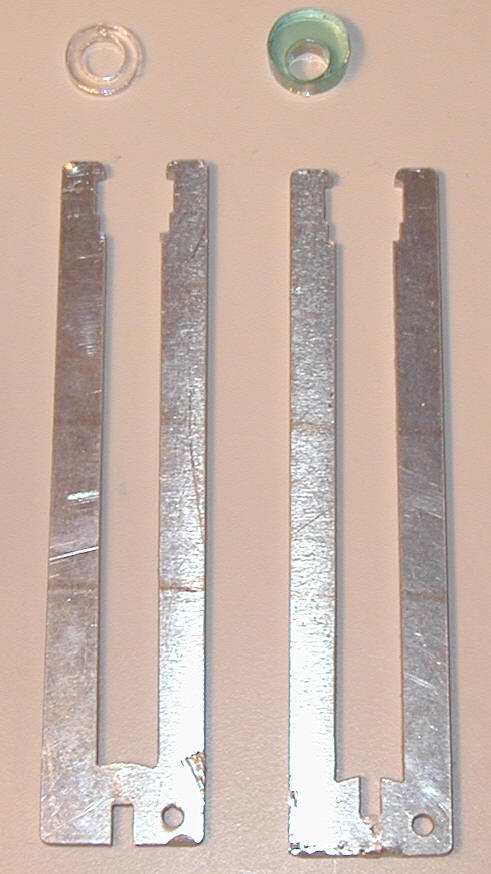
Aluminum cage and acrylic insulator and LED holder. |
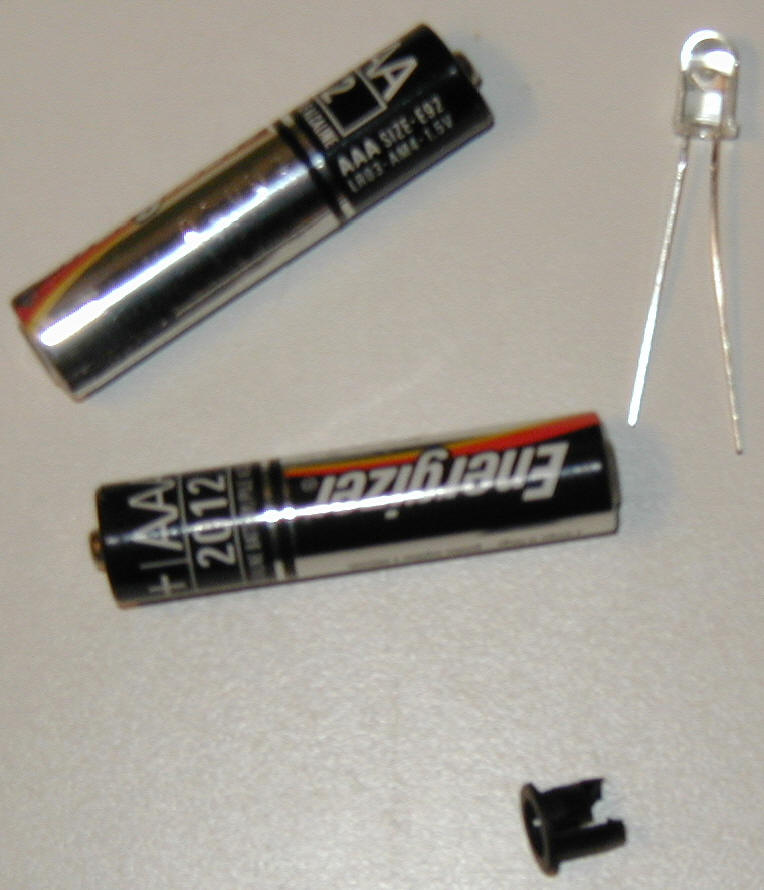
Additional off-the-shelf parts to light up device! |
 |
 |
|
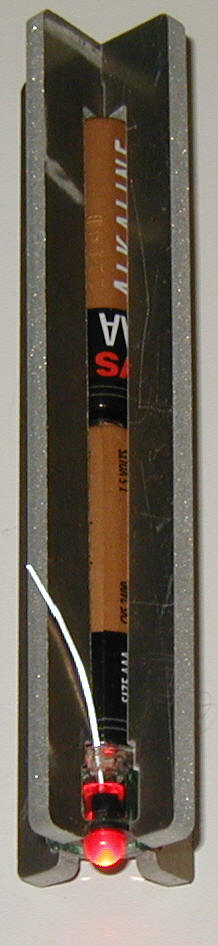
Assembled and "turned" on. Negative lead is
shown and only has to touch aluminum to complete the circuit. |
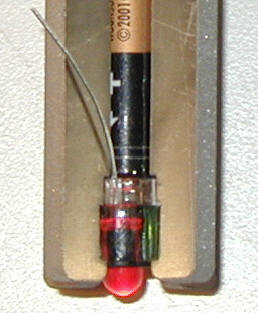
Close-up detail of acrylic parts. Positive lead
is trimmed to thickness of clear piece to make contact with
battery. |
 |
 |
Notes:
-
The default directions in Auto-Path gave me an
incorrect path so I used the Advanced page and had to set both External
and Internal directions to Left (opposite of the default). This
fixed all path problems.
-
Original intent was to use the Waterjet for the
acrylic and I was fortunately advised by John D. to cut the acrylic on the
Lasercutter because its brittleness.
-
I found that the OMAX .dxf files for the acrylic
pieces had fragmented circles when imported into Corel Draw for output to
the Lasercutter. My first attempt at cutting did not cut cleanly
through the acrylic perhaps indicating gaps in the file when cutting
separate arcs. I redesigned the parts using circles in Corel Draw
and re-attempted the cutting with no issues.
|
|
|