Gaming Controller Functionality
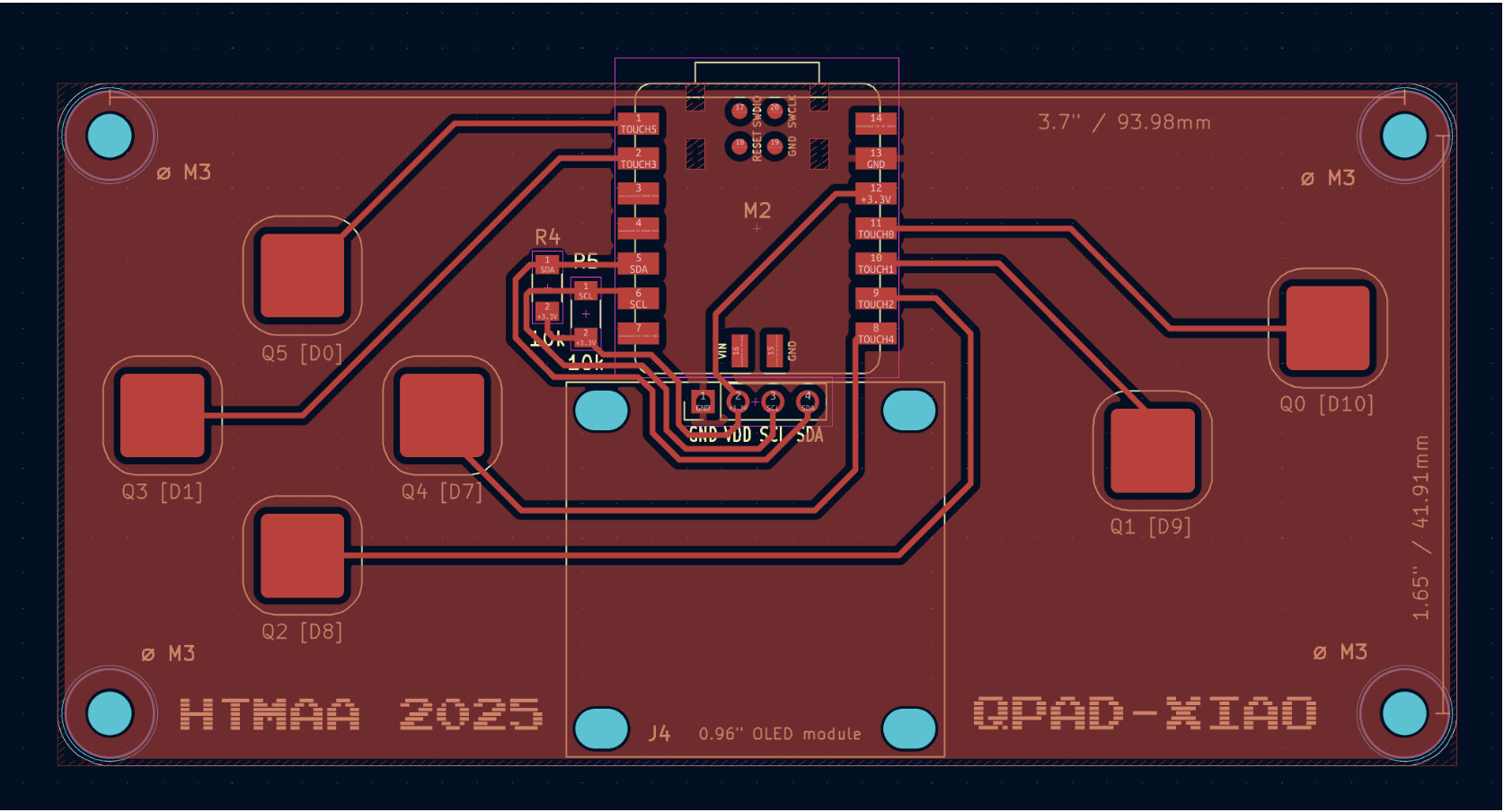
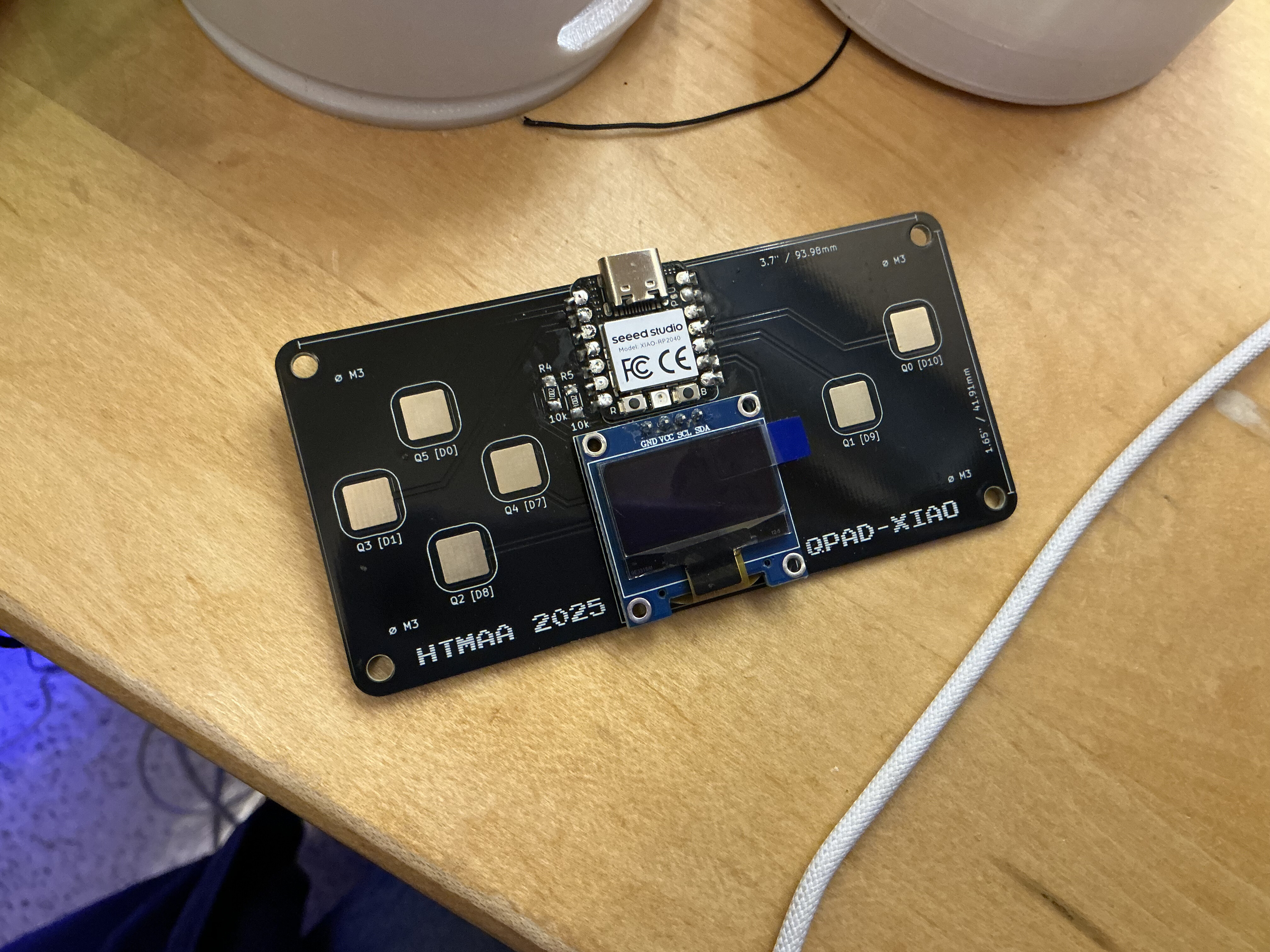
The gaming controller has an OLED display with black and white graphics. On the left there are four directional buttons (up, down, left, right) and on the right there are two additional buttons. They are all capacitive touch buttons. Capacitive touch sensors work by creating a small electrostatic field and detecting changes in it when a conductive object, like a human finger, gets close or touches the surface.Gaming Controller Programming
After setting up the board, I flashed blink.ino to the board to test that it was working correctly. The blink program simply blinks the onboard LED on and off every second. After confirming that the blink program worked, I moved on to programming the gaming controller.Development Environments (Extra Credit)
For the extra credit portion, I experimented with multiple development environments and languages:- Arduino IDE - Used for initial testing and flashing the blink program to verify hardware functionality
- PlatformIO - Explored as an alternative development environment with better library management
- Pygame + Python - Created a full game application that communicates with the QPAD via serial connection, demonstrating remote wireless communication
QPAD Pac-Man Game
I developed a fully functional Pac-Man game that integrates with the QPAD hardware, creating a unique tactile gaming experience. The game combines classic arcade gameplay with modern hardware interfacing, featuring a character selection system, AI-driven ghost enemies, and real-time OLED feedback.📥 Download Game Source Code
The complete Python source code for the Pac-Man game is available for download:
Download pacmangame.pyHardware-Software Integration
The game interfaces with the QPAD device through serial communication (/dev/cu.usbmodem1101 on macOS). I
implemented a custom PygameQPAD wrapper class that
handles bidirectional communication between the game and the
hardware:
- Input: Translates capacitive touch sensor inputs into game commands
- Output: Renders visual feedback to the QPAD's 128×64 OLED display in real-time
- Touch Mapping: Six touch sensors mapped to game controls (directional movement + action buttons)
Game Architecture & Features
The game implements a state machine with four states: character selection, active gameplay, victory, and game over. Key technical implementations include:Character Selection System
Three playable characters with different speed modifiers provide strategic variety:
- Turbo - 2.0× speed (fast but harder to control)
- Classic - 1.0× speed (balanced gameplay)
- Chill - 0.5× speed (slow and precise)
Movement & Physics
Sub-tile movement system using floating-point tile positions
enables smooth animation at 60 FPS. The collision system
validates movement independently on X and Y axes, allowing
entities to "slide" along walls rather than getting stuck.
Movement calculation:
new_position = current_position + direction × speed ×
                  delta_time
Ghost AI with BFS Pathfinding
Ghost enemies use a breadth-first search (BFS) algorithm to chase the player. Each frame, ghosts calculate the shortest path from their current position to Pac-Man's tile using flood-fill pathfinding. The AI includes 15% randomization per frame to prevent overly predictable behavior while maintaining challenging pursuit mechanics.
OLED Feedback System
Custom OLED interface provides real-time visual feedback with a sophisticated long-press progress bar for game restart. The bar features sliding chevron animations that create visual movement during hold actions, clearly communicating progress toward the 1.5-second threshold.
Input Debouncing
To prevent a single touch from registering multiple times, I
implemented state tracking with bitwise operations:
(last_touch & (1 << TOUCH_BIT)) == 0. This ensures
actions only trigger on the rising edge of a touch event, not
continuously while held.
Level Design
The game features a 28×31 tile maze reminiscent of classic Pac-Man, defined as a string array where each character represents a tile type:- X - Walls (rendered as blue rectangles)
- . - Pellets (white dots worth 10 points each)
- o - Power pellets (larger dots)
- G - Ghost spawn points
- - - Ghost house barriers
Game Loop & Timing
The main game loop runs at a locked 60 FPS using Pygame's clock system. Each frame processes:
- Input events from keyboard and QPAD touch sensors
- QPAD state update (reading sensors and updating OLED)
- State-specific logic (menu navigation or gameplay physics)
- Collision detection between player and ghosts
- Screen rendering and display update
Scoring & Lives System
Players earn 10 points per pellet consumed. The game tracks victory when all pellets are eaten. The lives system starts at 3 and decrements on ghost collision. When collision occurs, both player and ghosts reset to spawn positions. If lives reach zero, the game transitions to the lose state.
Technical Challenges & Solutions
Key challenge: Synchronizing QPAD serial communication with Pygame's event loop without causing frame drops. Solution: Integrated QPAD update call directly into the game's step function, ensuring input polling happens exactly once per frame. Another challenge was preventing ghost overlap causing instant death chains, solved by resetting all entity positions immediately upon collision before the next frame's collision check.
Code Structure
The game consists of approximately 500 lines of Python code organized into:- Entity class: Base class for player and ghosts with movement and collision logic
- PacmanGame class: Main game controller managing state transitions, rendering, and game logic
- Pathfinding functions: BFS implementation for ghost AI navigation
- OLED rendering: Custom UI elements for progress bars and visual feedback