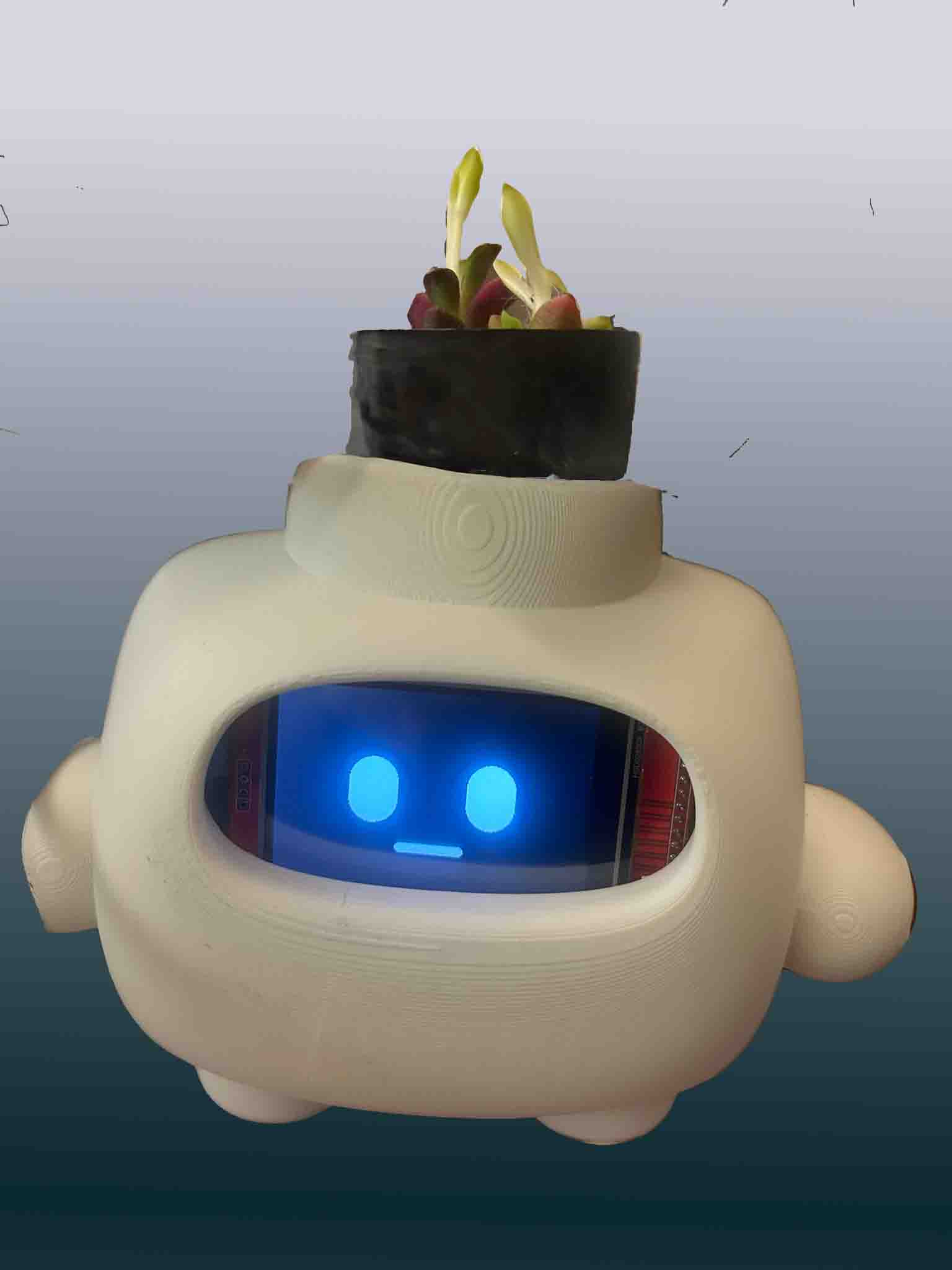
An expressive robot companion that encourages healthy hydration habits
Initial Ideas
Here's my thought process to a final project
I wanted a project that fell into 3 main criteria:
1. Something cute - The project had to have a cute
factor, look good and like something I'd want to interact with
2. Something interactive - I wanted rather than a
static light display, I wanted something where actions that
the user took affect the state of the item. I wanted the item
to give feedback to the user.
3. Something useful - I wanted an item that I would be
compelled to use in my daily life. Though I realize now this
list of demands is a bit high for a semester project so now
I'm thinking as long as I get to make something that I get to
use my art and embedded programming skills in one project, I
don't care so much for it being super practical.
The Winning Idea: How Hydrated Am I?
I used to use apps where you water a cute plant by logging whenever
you drank water as a way to motivate you to stay hydrated. However,
I found that with no accountability, I would just log I drank water
when I didn't so my plants wouldn't die.
The solution: A device that automatically
measures how much water you drink using a load cell, then communicates
via Bluetooth to a cute robot companion that reacts with different
emotions based on your hydration level.
✨ Project Goals Achieved
✅ Cute: Expressive robot face with blinking animations
✅ Interactive: Robot emotions change as you drink water
✅ Useful: Automatic tracking without manual logging
✅ Skills: PCB design, embedded programming, CAD, BLE
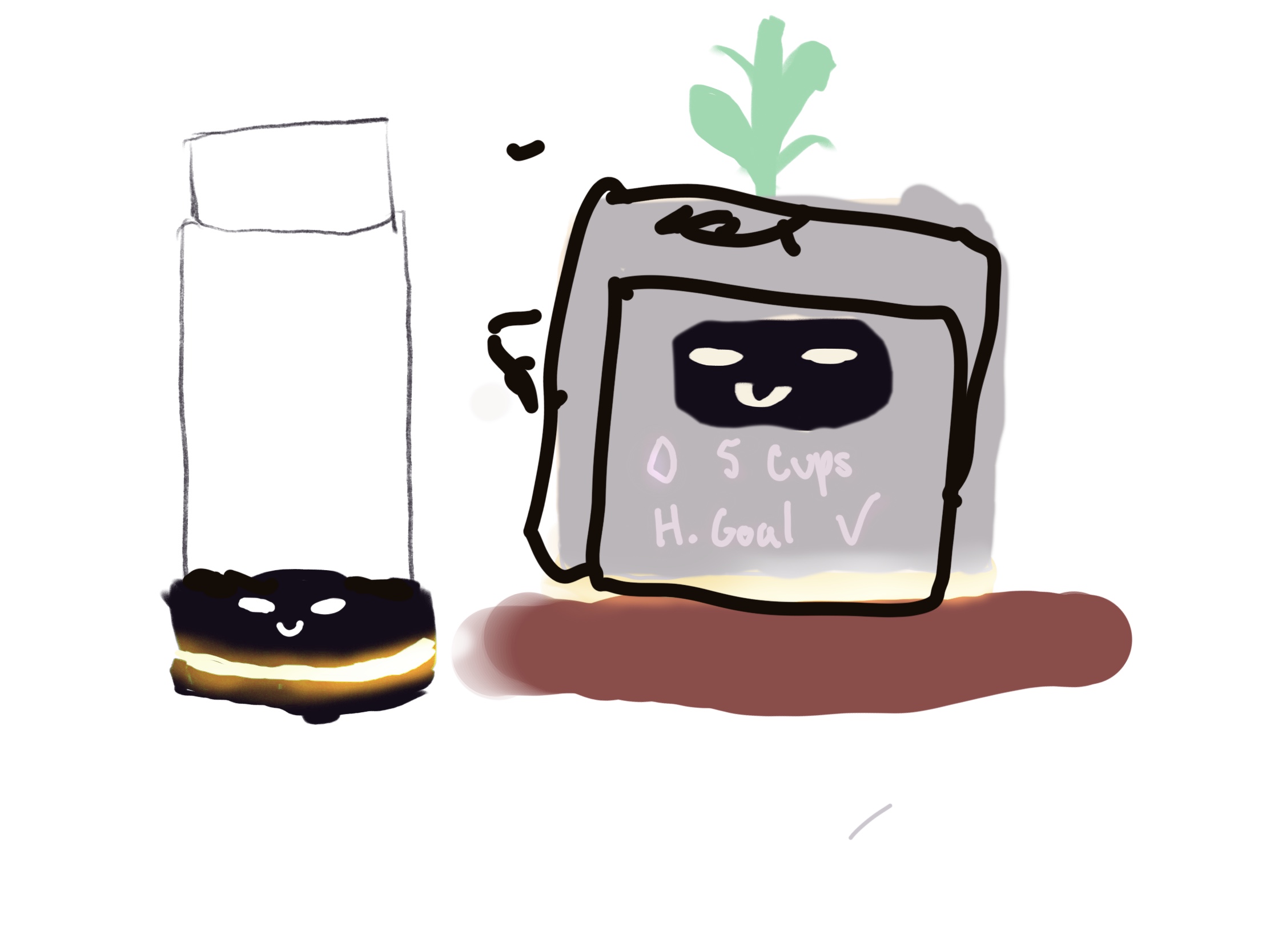
Project Sketches
Early concept sketches exploring different form factors and interaction
models for the hydration monitor system.
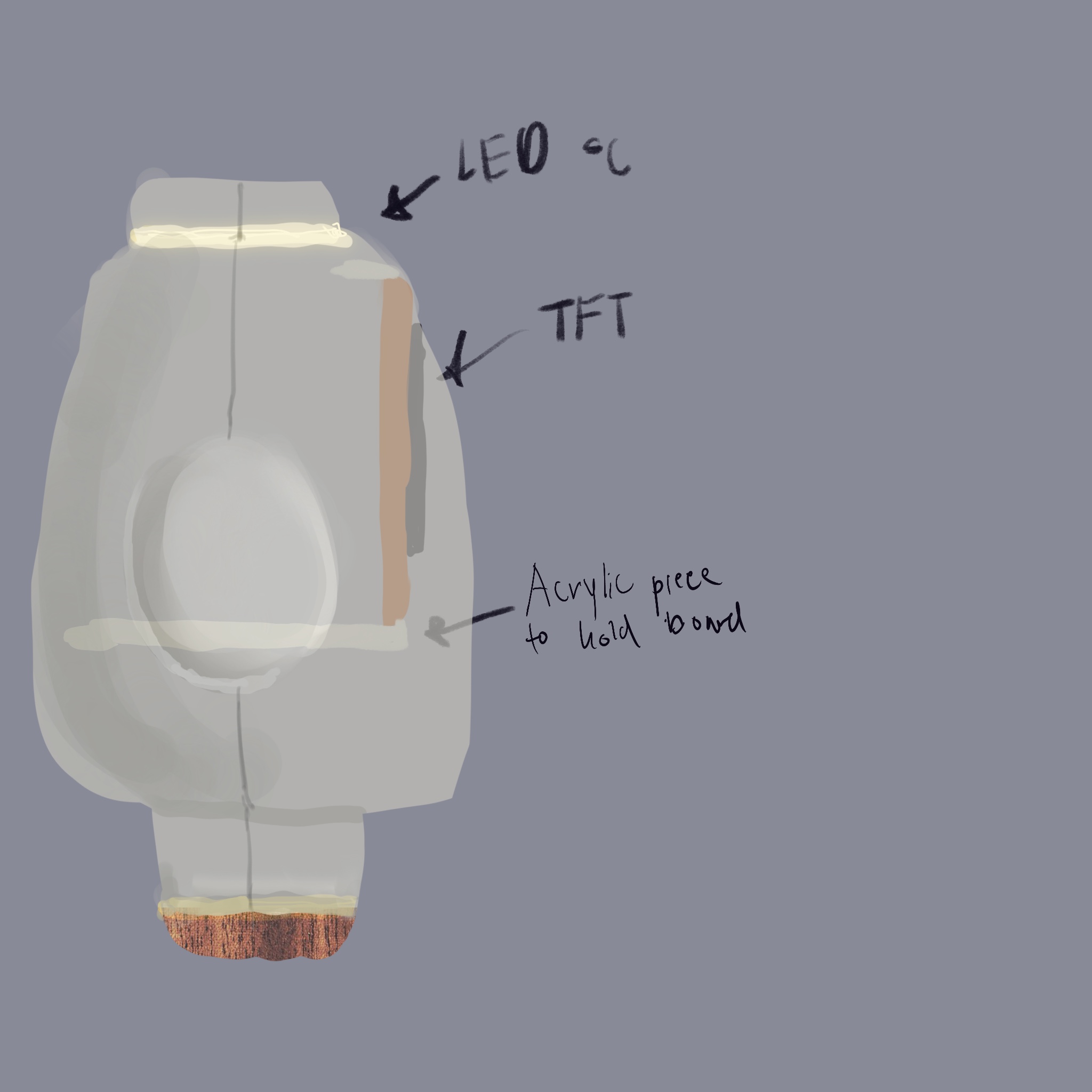
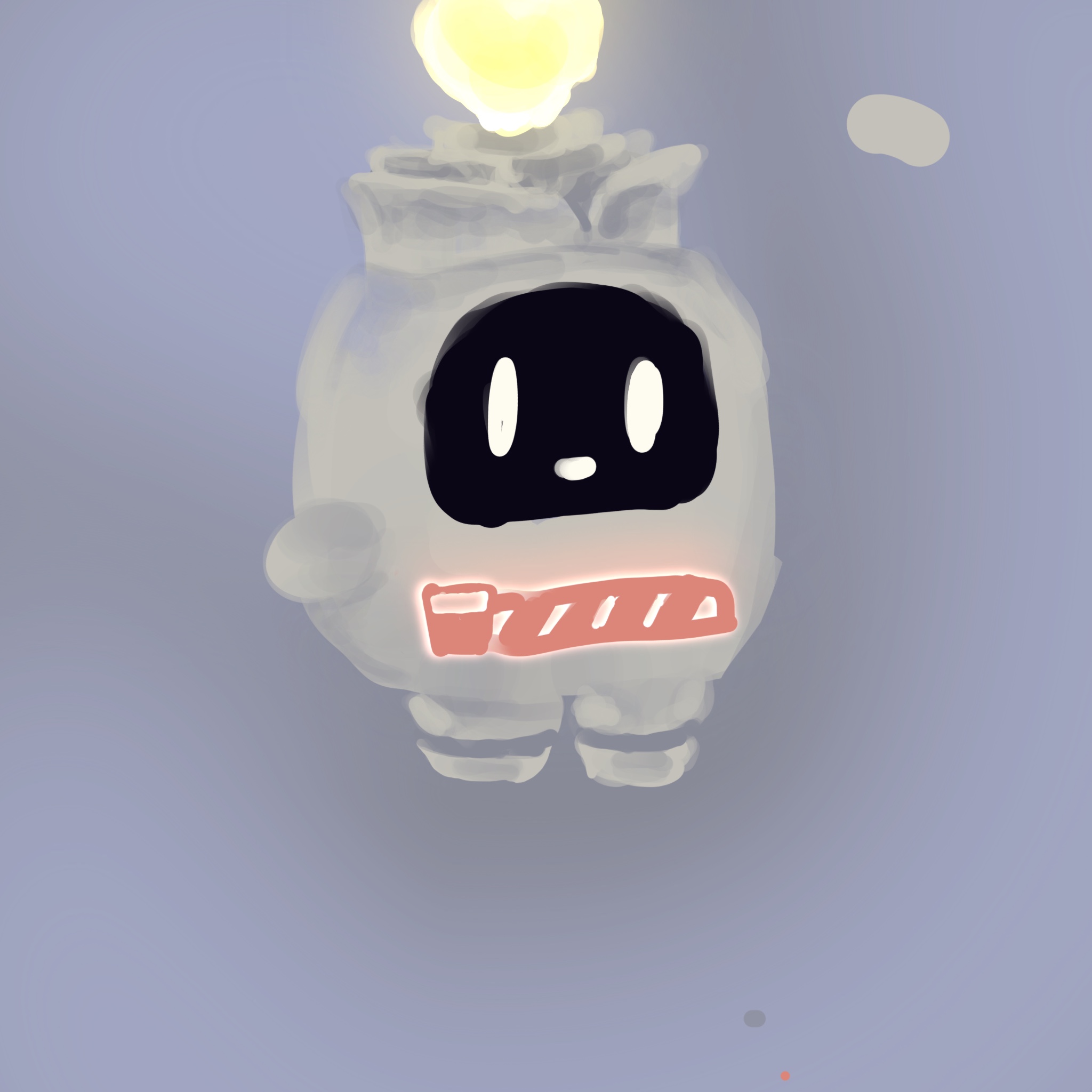
Initial concept sketchesCharacter and enclosure sketch with placement notes for the display and electronicsRobot character design iterations
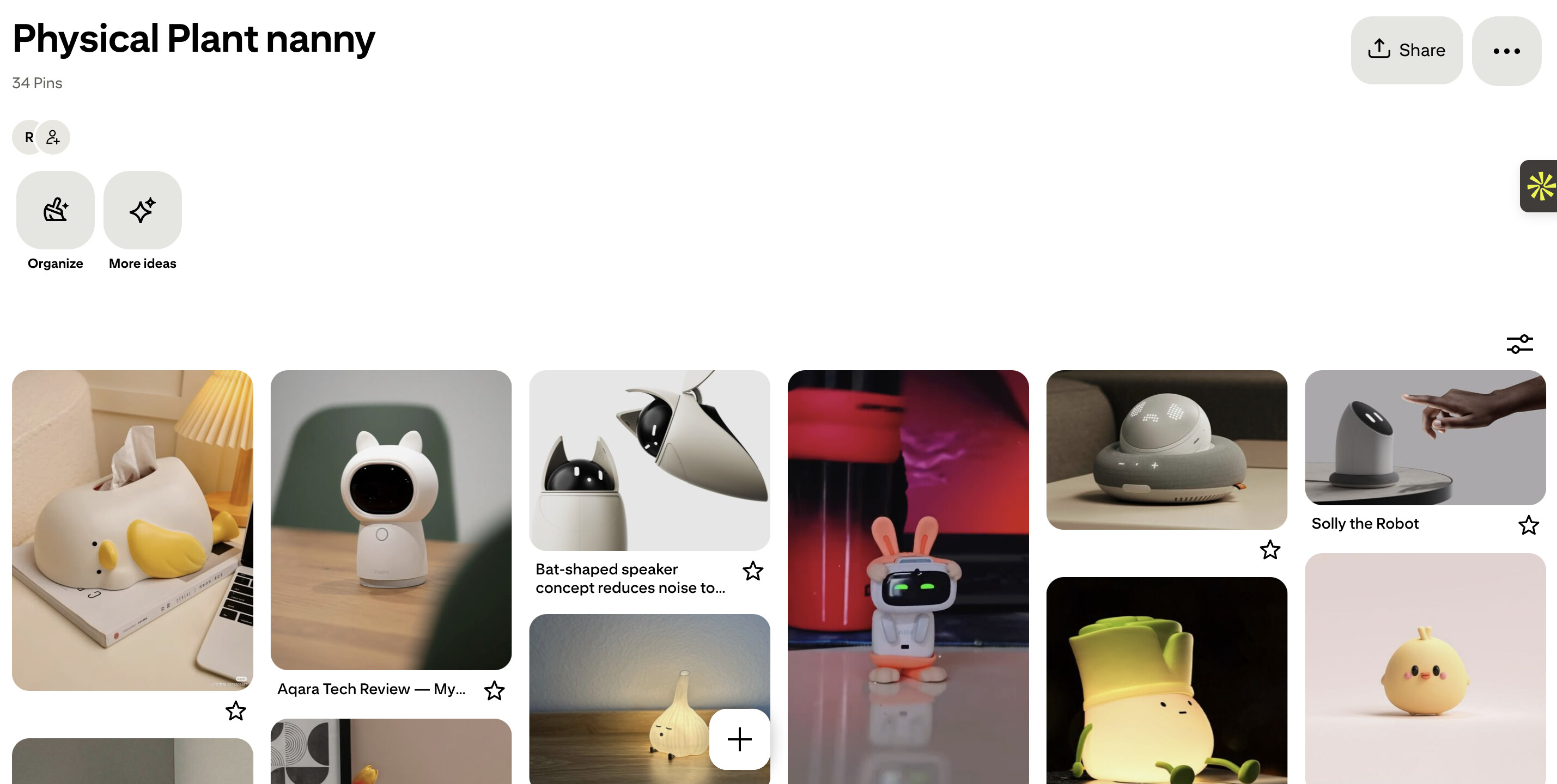
Project Inspiration
Visual Inspiration: Cute Robots
I drew inspiration from minimalist robot designs that use simple
geometric shapes to convey emotion effectively. The goal was to
create a character that feels alive and personable despite using
only basic shapes on a monochrome display.
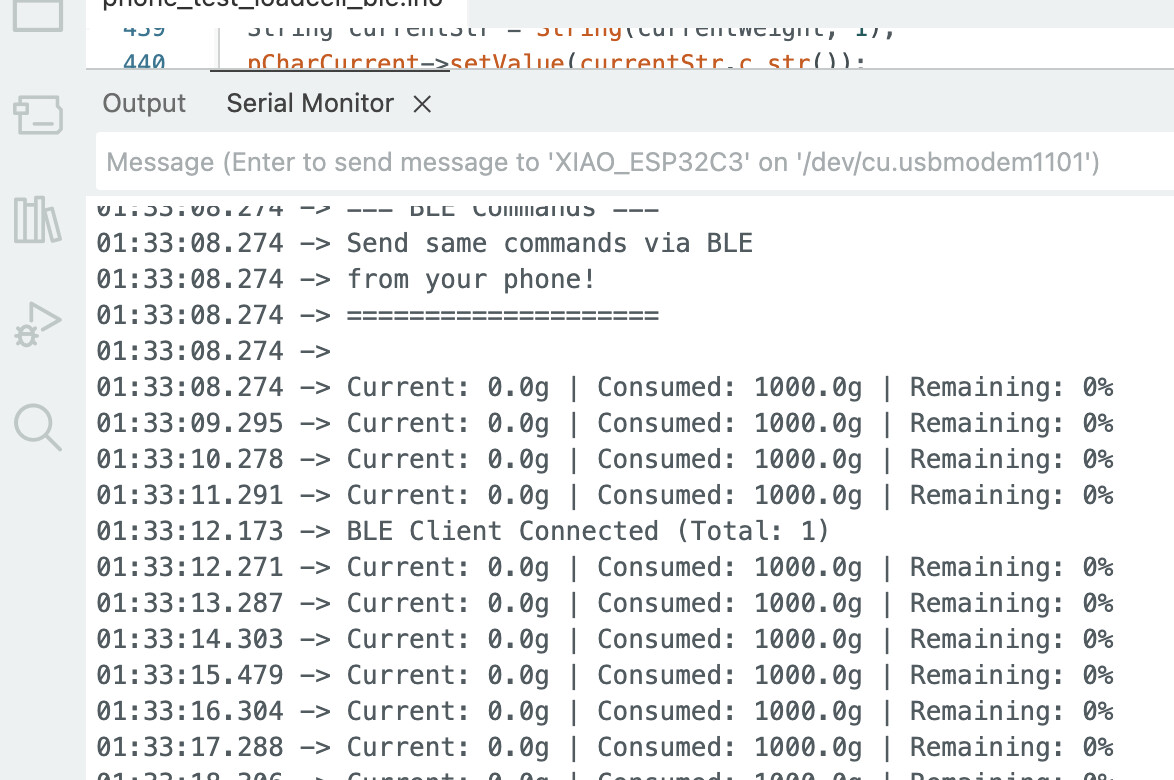
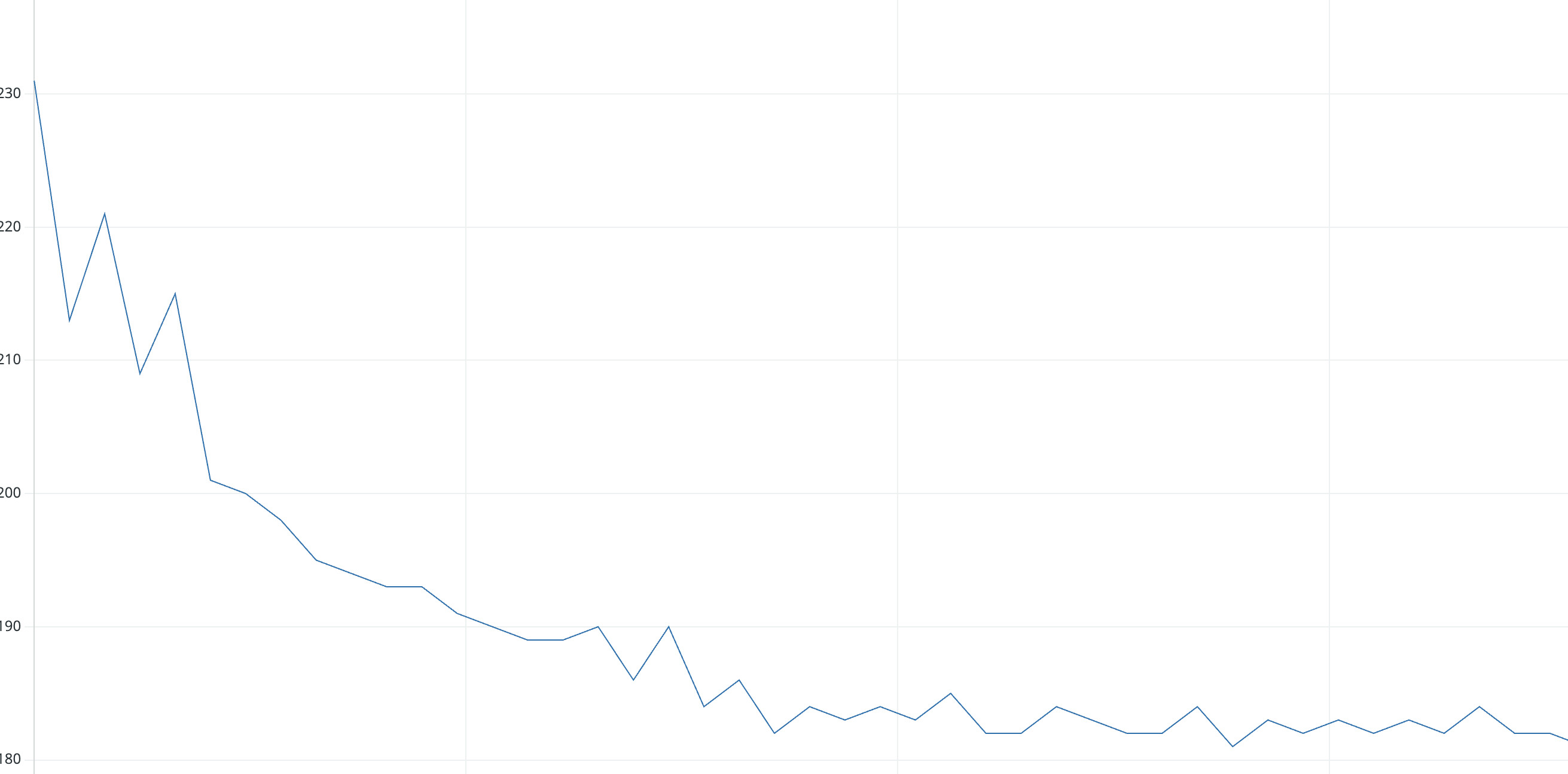
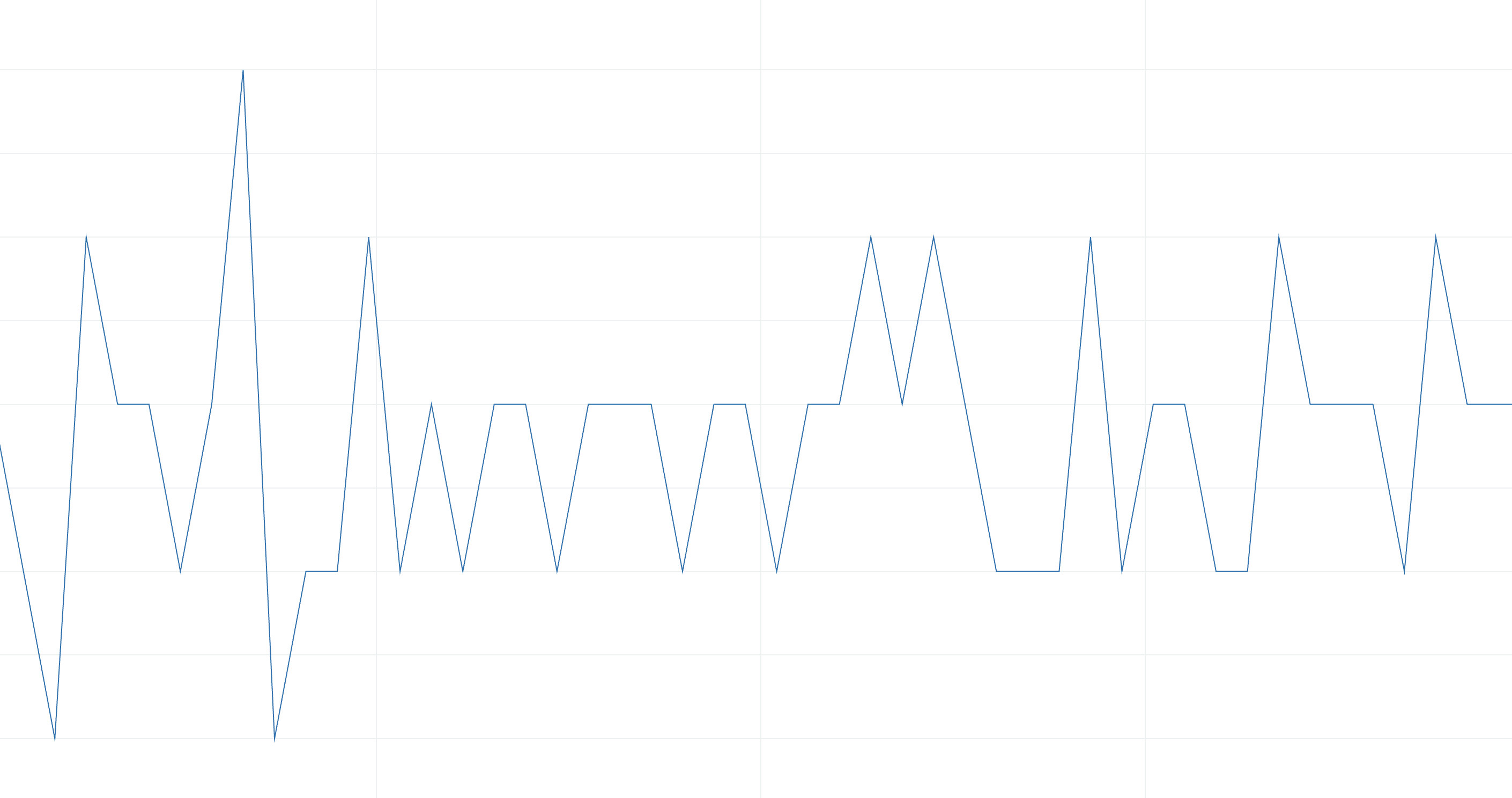
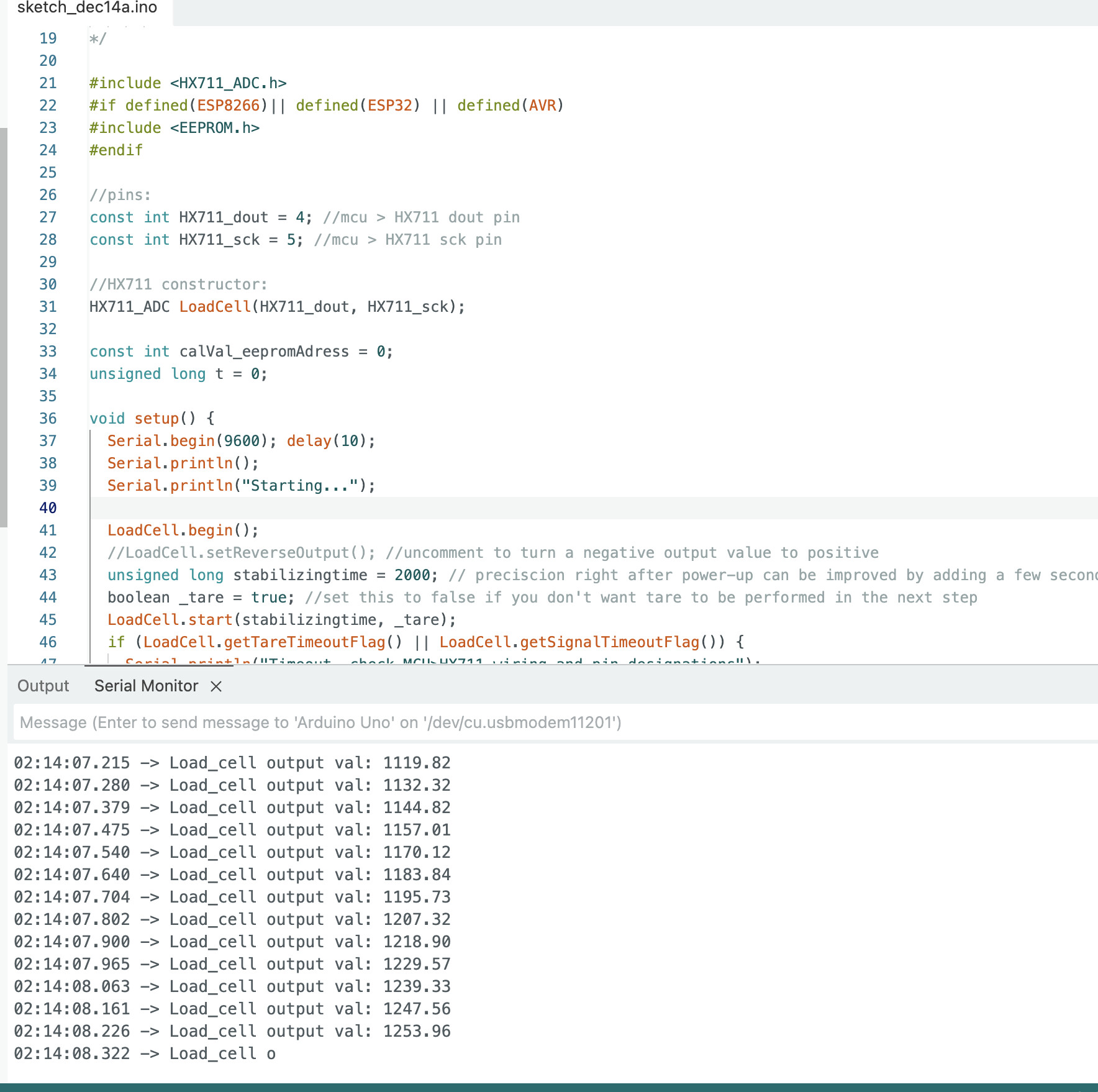
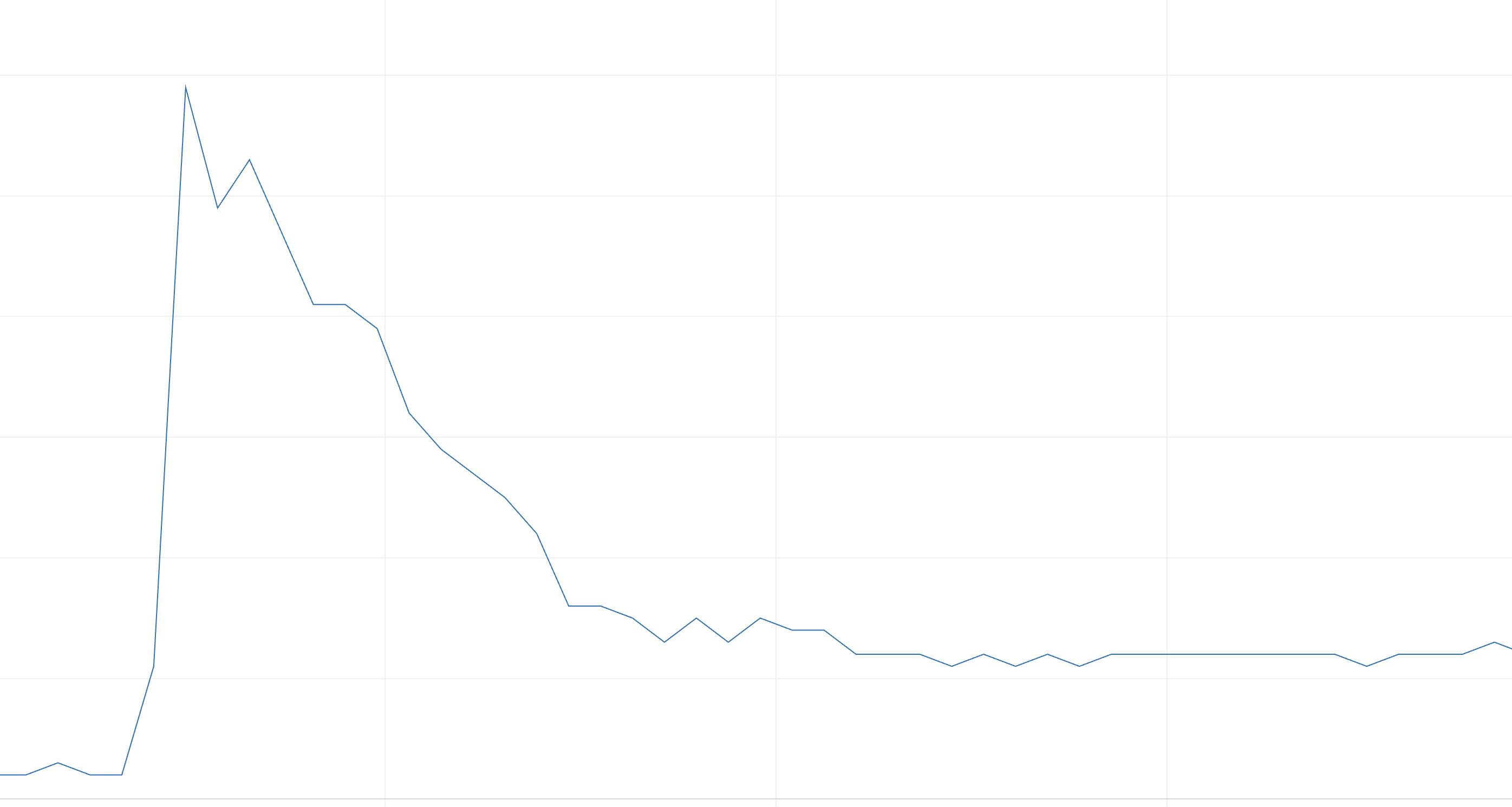
During development, I experimented with load cell sensors to understand
their behavior, settling characteristics, and stability for weight measurement.
Serial output while testing load cell readings and system responseSensor settling behavior analysisAchieving stable weight readings
System Overview
The Hydration Monitor Robot is a two-unit wireless system that tracks
water consumption and provides visual feedback through an expressive
robot character.
System Architecture
Unit 1
Water Bottle Scale
(BLE Server)
• HX711 Load Cell
• ESP32-C3/S3
• Weight Sensing
⟷
BLE
Wireless Link
(Bluetooth LE)
• Current Weight
• Water Consumed
• Percentage
⟷
Unit 2
Robot Display
(BLE Client)
• ILI9341 TFT
• ESP32-S3
• Face Animation
Data Flow
Measurement: Load cell continuously measures water bottle weight
Processing: ESP32 calculates current weight, consumed amount, and percentage
Transmission: Data broadcast via BLE characteristics every second
Reception: Robot display unit receives BLE notifications
Expression: Robot face updates emotion based on hydration level
Feedback: User sees at-a-glance hydration status and feels motivated!
Water Bottle Scale (Unit 1)
Hardware Design
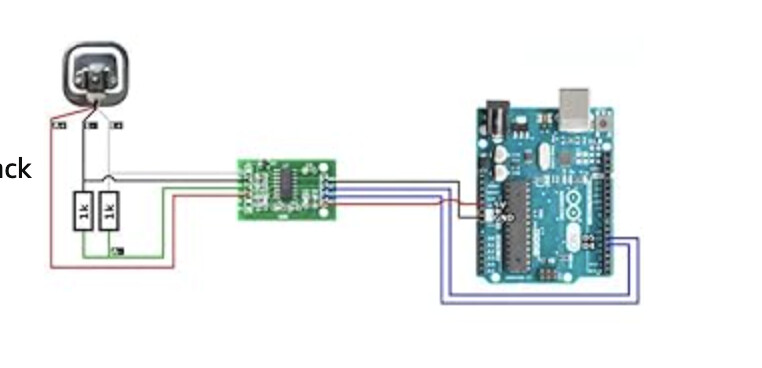
The water bottle scale uses an HX711 load cell amplifier
connected to an ESP32-C3 or ESP32-S3 microcontroller.
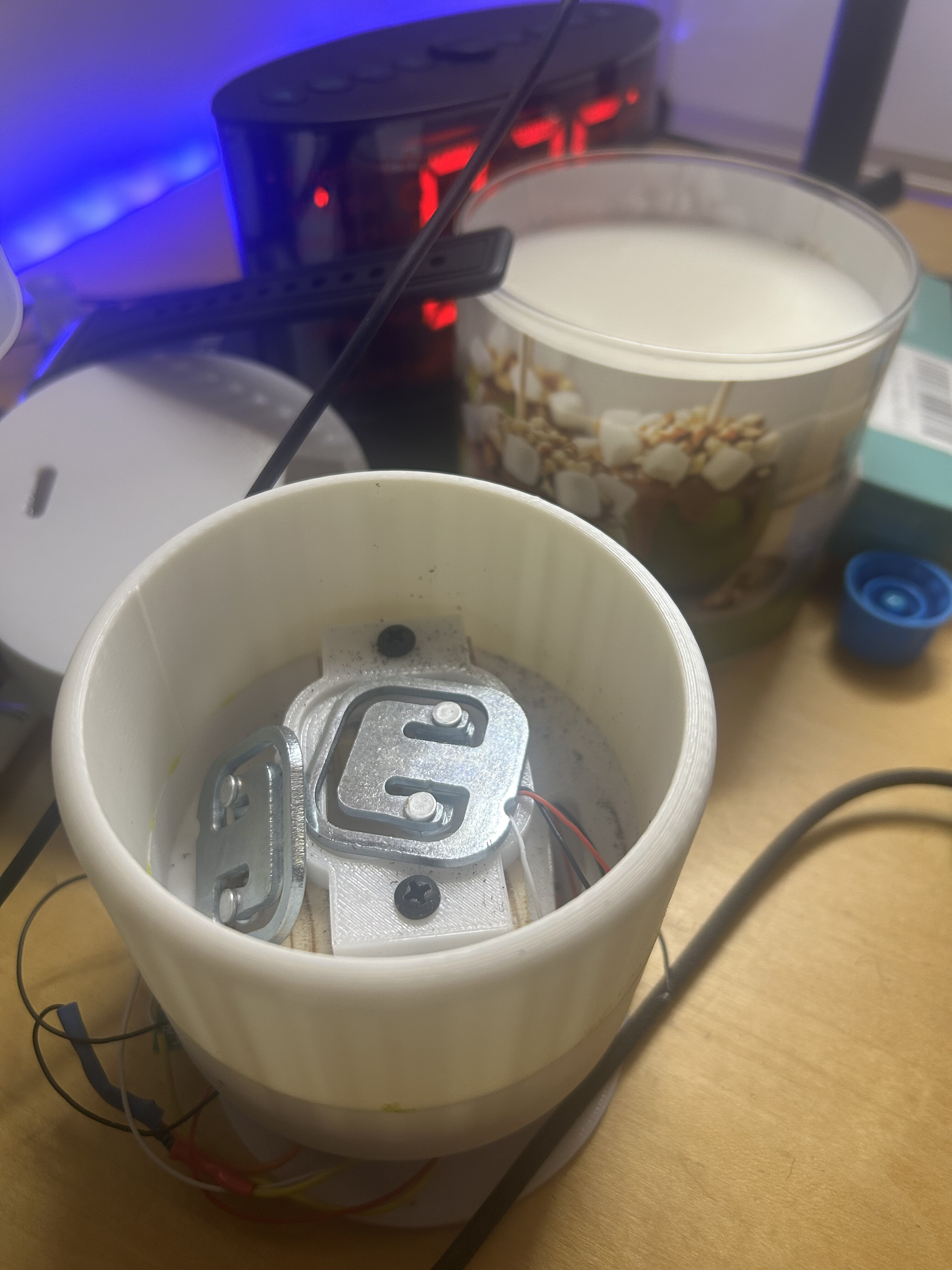
The scale sits at the base of the water bottle and measures weight changes
as the user drinks.
Schematic for the load cell water bottle scale with HX711 amplifier
HX711 load cell amplifier and strain gauge sensorLoad cell integrated into water bottle base
Complete water bottle setup with load cell scale at baseCAD model of the bottle sleeve showing how the load cell assembly fits around the base
BLE Communication Protocol
Why Bluetooth Low Energy?
BLE was chosen for several key advantages:
Low Power: Extended battery life for portable operation
Wireless: No physical connection between scale and display
Standard Protocol: Compatible with phones and apps
Real-time: Instant updates via notifications
Service & Characteristics Structure
📡 BLE Service UUID
4fafc201-1fb5-459e-8fcc-c5c9c331914b
📊 Characteristics
Name
UUID (Last 2 digits)
Properties
Data Type
Current Weight
...a8
Read, Notify
String (grams)
Water Consumed
...a9
Read, Notify
String (grams)
Percentage
...aa
Read, Notify
String (0-100)
Control
...ab
Read, Write, Notify
String (commands)
Client-Server Communication Flow
// Server (Water Bottle Scale)
1. Advertise as "WaterBottle"
2. Wait for client connection
3. Measure weight continuously
4. Calculate percentage remaining
5. Notify all subscribed clients every 1 second

// Client (Robot Display)
1. Scan for "WaterBottle" device
2. Connect to server
3. Subscribe to all three characteristics
4. Receive notifications on weight changes
5. Update robot face based on percentage
Notification Callbacks
The display unit registers callback functions that automatically trigger
when new data arrives:
// Callback when percentage updates
static void notifyCallbackPercent(
  BLERemoteCharacteristic* pChar,
  uint8_t* pData,
  size_t length,
  bool isNotify) {

  String value = String((char*)pData).substring(0, length);
  percentRemaining = value.toInt();

  Serial.print("Water Remaining: ");
  Serial.print(percentRemaining);
  Serial.println("%");

  // Update robot face based on water level!
  updateFaceFromWaterLevel();
}
✅ Connection Benefits
Automatic reconnection if connection drops
Shows sad face when disconnected (visual feedback)
No pairing required - just turn on and it connects!
Can connect phone AND robot simultaneously
Robot Face Display (Unit 2)
Hardware: TFT Display System
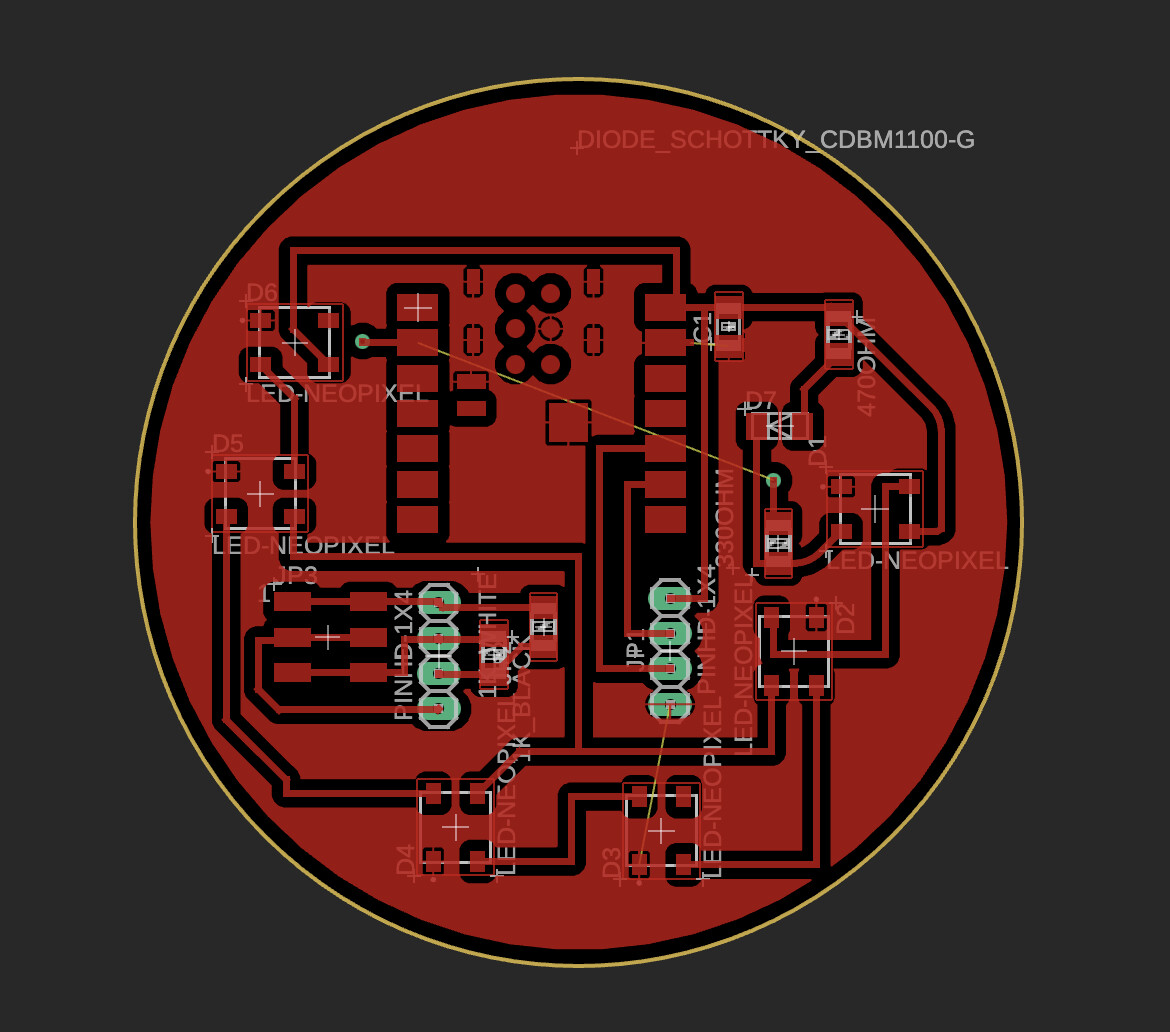
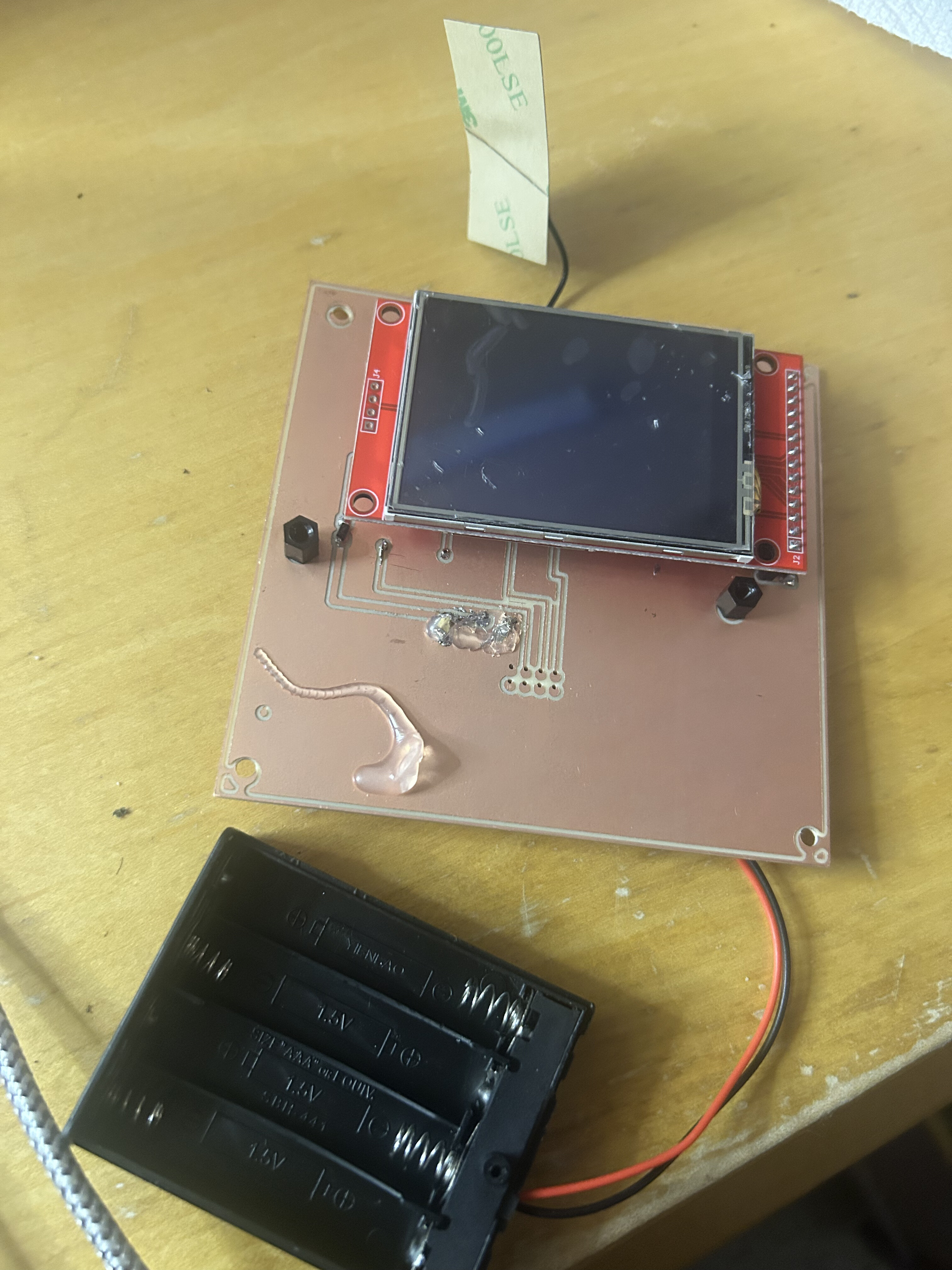
Originally, I designed a custom PCB with an ESP32-S3 and ILI9341 TFT
display (documented in Week 9). However, I
encountered power issues with my milled board, so I rebuilt the circuit
on a breadboard for reliable operation.
Original milled PCB with ESP32-S3 and TFT display headersFinal robot assembly used for breadboard-based TFT testing and reliable power delivery
Display Specifications
Display: ILI9341 2.8" TFT LCD
Resolution: 320×240 pixels (QVGA)
Colors: Black and white only (high contrast)
Interface: SPI communication
Update Rate: 60 FPS for smooth animation
Three Emotional States
The robot expresses emotion through three distinct facial configurations
that automatically update based on water level percentage:
😊
Happy Face
Trigger: 60-100% water remaining
Squinted eyes (thin horizontal lines) with a cute >U< smile.
The curved bottom creates an enthusiastic, satisfied expression.
Narrow happy eyes (30px height)
Rounded U-shaped smile
Message: "You're doing great!"
😐
Neutral Face
Trigger: 30-59% water remaining
Full-sized rounded rectangle eyes with a straight horizontal mouth.
Calm and attentive, gently reminding you to drink soon.
Regular round eyes (50×70px)
Straight line mouth
Message: "Drink some water"
😢
Sad Face
Trigger: 0-29% water remaining
Smaller eyes with a downward curved frown and a tear drop.
Creates urgency—time to refill that bottle!
Reduced eyes (40×50px)
Inverted arc frown
Message: "REFILL NEEDED!"
Blinking Animation
To bring the robot to life, I implemented an automatic blinking system
that randomly triggers every 2-5 seconds:
Eyes close for 150ms
Random interval between blinks (2-5 seconds)
Continues during all emotional states
Adds personality and makes robot feel alive
Robot face showing realistic blinking animation that brings the character to life
Character Design Origins
The robot mascot was inspired by my original Plant Nanny concept. I modeled
a cute plant character in Blender that would have been the 3D printed mascot:
Early Blender model of plant mascot character before pivoting to TFT display design
Face Update Logic
void updateFaceFromWaterLevel() {
  int newState;

  if (percentRemaining >= 60) {
    newState = 1;  // Happy - plenty of water
  } else if (percentRemaining >= 30) {
    newState = 2;  // Neutral - getting low
  } else {
    newState = 3;  // Sad - needs refill!
  }

  // Only redraw if state changed (prevents flicker)
  if (newState != currentState) {
    currentState = newState;
    switch(currentState) {
      case 1: happy(); break;
      case 2: neutral(); break;
      case 3: sad(); break;
    }
  }
}
CAD Design & Enclosures
Water Bottle Base Sleeve
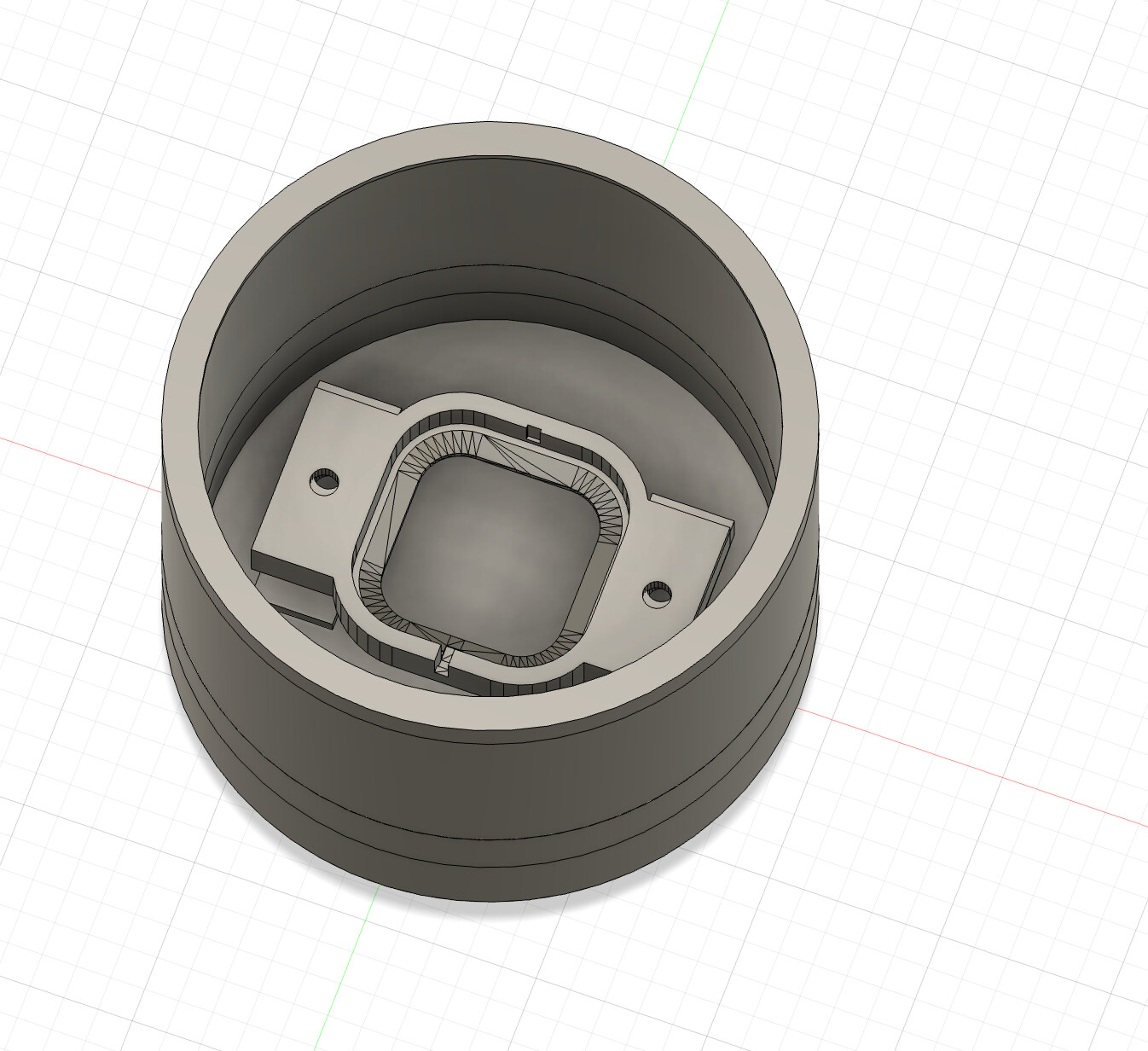
I designed a custom sleeve that fits around the bottom of a standard
water bottle, housing the load cell and electronics. The design ensures:
Stable placement for accurate weight measurement
Protection for electronics from spills
Easy bottle insertion and removal
Compact form factor that doesn't interfere with use
CAD model of water bottle base sleeve with load cell housingSliced print preview of the bottle sleeve before fabrication
Robot Body Enclosure
The robot body houses the TFT display and ESP32 controller. The design
features:
Front-facing display cutout for the "face"
Cute, friendly form factor inspired by companion robots
Internal compartments for electronics and wiring
Stable base with non-slip padding
Access ports for USB programming
Early robot body concept exploring the companion form and display openingSketch used to reason about internal component placement and enclosure proportions
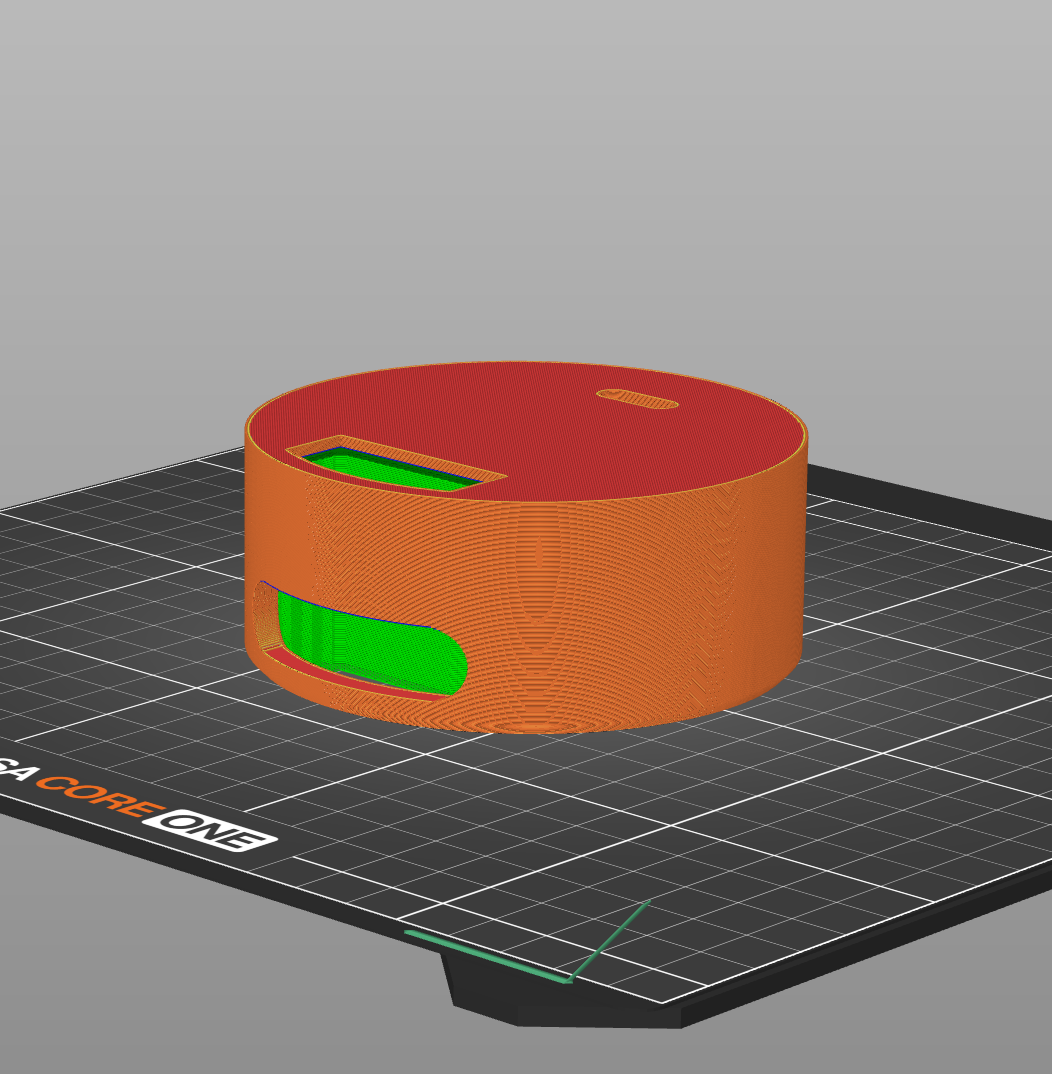
3D Printing
Both enclosures were 3D printed in PETG plastic:
Layer Height: 0.2mm for smooth finish
Infill: 20% for lightweight but sturdy parts
Supports: Minimal supports for overhangs
Print preparation for one of the custom enclosure components
📐 CAD References In Repo
The exported STEP packages are not in this repo yet, but the design references below are:
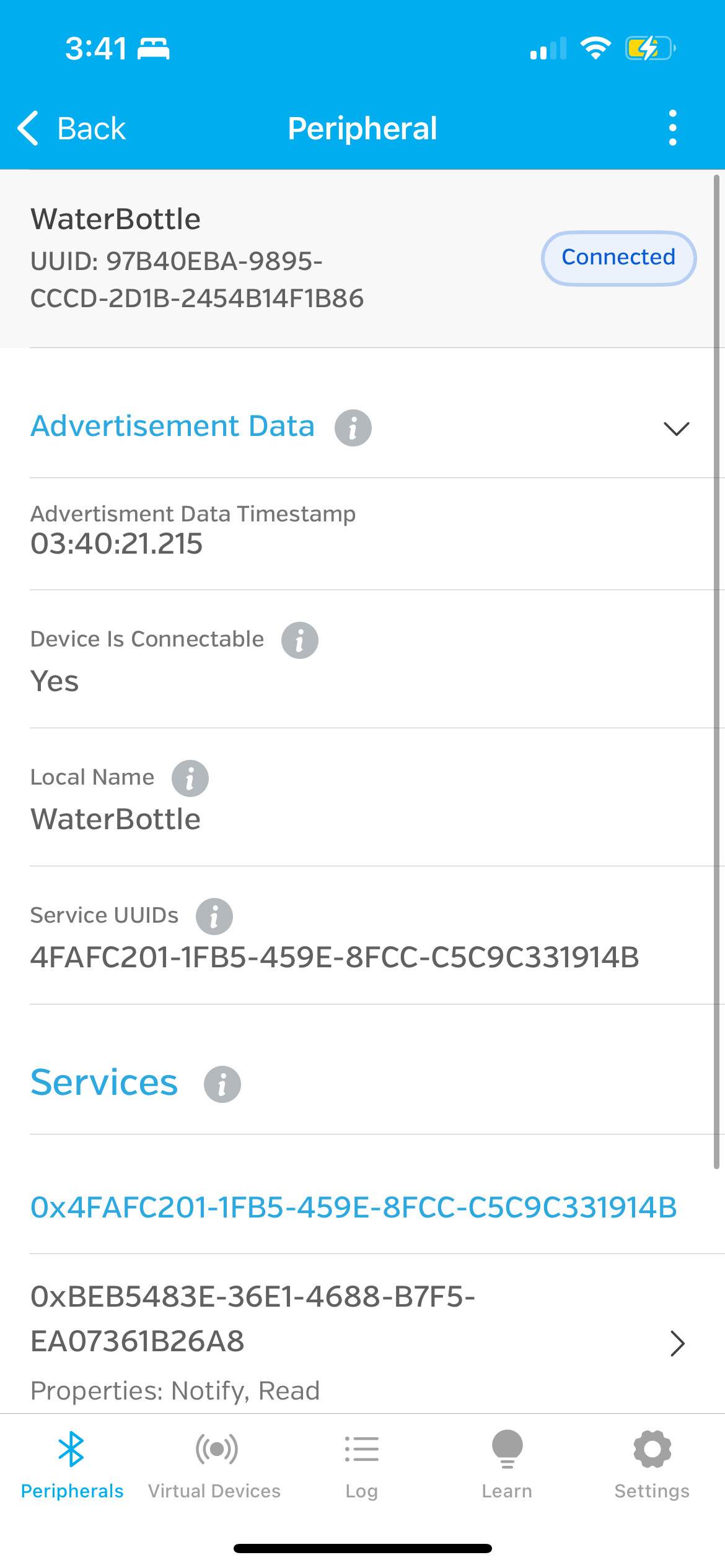
Using generic BLE apps like nRF Connect (Android) or
LightBlue (iOS), you can connect directly to the water
bottle scale and:
View current weight in real-time
Monitor water consumption
Check percentage remaining
Send control commands to trigger test mode
How to Connect from Your Phone
Open nRF Connect or LightBlue app
Scan for BLE devices
Look for device named "WaterBottle"
Tap to connect
Expand the service: 4fafc201-1fb5...
Enable notifications on the characteristics ending in a8, a9, aa
Watch live updates as you drink water!
nRF Connect app showing WaterBottle service and characteristics
Testing via Phone Commands
You can trigger the test mode wirelessly by writing to the
Control characteristic (ending in ab):
Write x - Toggle test mode ON/OFF
Write 0 - Simulate 100% full
Write 1 - Simulate 50% full
Write 2 - Simulate 25% full
Write 3 - Simulate 0% empty
Write a - Auto-cycle through all states
💡 Pro Tip
The control characteristic sends notifications back confirming your
commands! Enable notifications on it to see responses like "Test mode ON"
or "Half: 50%".
Using the phone BLE interface to inspect characteristics and send test commands
System Integration & Testing
Complete System Assembly
Bringing both units together creates the full hydration monitoring experience:
Robot display changes when load cell device is connected with BLE
Integration Testing Process
Unit Testing: Test each component individually
Load cell calibration and weight measurement
BLE server advertising and data transmission
Robot face display and animations
BLE client connection and notification handling
BLE Connection: Verify wireless link
Server advertises "WaterBottle" successfully
Client auto-discovers and connects
All four characteristics accessible
Notifications transmit at 1 Hz
End-to-End Testing: Simulate real usage
Place full water bottle on scale
Save reference weight via serial command
Watch robot show happy face (100%)
Drink water and observe face transition
Verify percentage thresholds (60%, 30%)
Stress Testing: Edge cases and reliability
Connection loss and automatic reconnection
Rapid weight changes (gulping water)
Extended runtime (battery life)
Multiple connection attempts
Real-World Usage Scenario
📖 A Day with the Hydration Robot
Morning: Fill your water bottle and place it on the scale.
Press 's' to save the full bottle weight. The robot displays a happy face 😊
Throughout the day: As you drink, the robot's expression
gradually changes. At 50% remaining, it switches to a neutral face 😐
as a gentle reminder.
Afternoon: The bottle drops below 30%. The robot now shows
a sad face 😢 with a tear drop, urgently encouraging you to refill!
Evening: After refilling, the robot returns to its happy
state, celebrating your healthy hydration habits. The blinking animation
makes it feel like a real companion throughout the day.
Challenges & Solutions
⚠️ Challenge 1: Load Cell Always Reads 0.0
Problem: During initial testing, the load cell consistently
output 0.0 regardless of weight placed on it. This made it impossible to
demonstrate the full system functionality.
Root Cause: Likely a wiring issue with the HX711 module
or incorrect load cell strain gauge connections.
✅ Solution: Implemented a comprehensive
test mode that simulates different water levels (0%, 25%, 50%, 100%). This
allowed me to fully test and demonstrate the BLE communication and robot face
system while troubleshooting the hardware. The test mode can be triggered
via serial OR wirelessly from a phone!
⚠️ Challenge 2: TFT PCB Power Issues
Problem: My custom-milled PCB for the TFT display had
power delivery issues that caused unstable operation and display artifacts.
Root Cause: Insufficient decoupling capacitors or trace
width issues on the double-sided board affecting power distribution.
✅ Solution: Rebuilt the circuit on
a breadboard with proper power distribution. While not as elegant as the PCB,
the breadboard version proved 100% reliable for the final demo. This taught
me valuable lessons about power management in PCB design.
⚠️ Challenge 3: BLE Connection Reliability
Problem: Initial BLE implementation would sometimes fail
to connect or drop connection randomly during operation.
Root Cause: Missing connection status handling and no
automatic reconnection logic.
✅ Solution: Implemented robust
connection callbacks, automatic reconnection on disconnect, and visual
feedback (sad face) when connection is lost. Added doScan flag to restart
scanning after disconnection events.
⚠️ Challenge 4: Face Transition Glitches
Problem: When the robot face changed emotions, the blinking
animation would sometimes glitch or draw on the wrong face state.
Root Cause: Blink timer not reset when face state changed,
causing animation to trigger mid-transition.
✅ Solution: Added state tracking to
ensure blinking only occurs on the current face. Implemented checks to use
drawHappyEyes() vs drawEyes() depending on currentState. Reset blink timer
when face changes to prevent mid-animation transitions.
⚠️ Challenge 5: Load Cell Calibration
Problem: Getting accurate and consistent weight measurements
required proper calibration, which was tedious to perform repeatedly.
Root Cause: Calibration factor and full bottle weight not
persisting between power cycles.
✅ Solution: Implemented EEPROM storage
for calibration factor and full bottle weight. Added serial commands ('r' for
recalibrate, 's' for save full bottle, 'c' for manual adjustment) to make
calibration process user-friendly and persistent.
Lessons Learned
Test early, test often: Implementing test mode saved the
project when hardware issues arose
Power is critical: Don't underestimate power distribution
in PCB design—decoupling caps matter!
User feedback is essential: Visual feedback (sad face on
disconnect) greatly improves user experience
Wireless adds complexity: BLE is powerful but requires
careful handling of connection states
Iterative design works: Breadboard prototype → PCB →
back to breadboard taught valuable lessons
Final Demo
System in Action
Watch the complete hydration monitor system in action! This video demonstrates:
BLE connection establishment between scale and display
Robot face transitions based on simulated water levels
Blinking animation running continuously
Phone control interface sending test commands
Real-time percentage updates
Final integration demo showing BLE connection feedback and robot face updates
Key Demonstrations
📡 Wireless Communication
BLE connection established automatically on power-up. Both units
communicate wirelessly with <200ms latency.
😊 Emotional Expression
Robot face smoothly transitions between happy, neutral, and sad
states based on water level percentage.
👁️ Lifelike Animation
Random blinking every 2-5 seconds makes the robot feel alive
and creates emotional connection.
📱 Phone Control
nRF Connect app can view data and send commands to trigger
different states for testing.
Desk setup showing the hydration companion prototype beside the bottle scale
Future Improvements
Hardware Enhancements
Fix load cell wiring: Resolve the hardware issue causing
0.0 readings for real weight measurement
Redesign TFT PCB: Address power issues with better
decoupling and trace widths for stable operation
Add battery management: Integrate LiPo battery with charging
circuit for truly wireless operation
Sound feedback: Add small piezo speaker for audio cues
(happy beep, reminder chime)
RGB LEDs: Ambient lighting that changes color with hydration
level for at-a-glance status
Software Features
More emotions: Add "excited" (rapid blinks), "sleepy"
(slow blinks), "thinking" states
Animated transitions: Smooth morphing between facial
expressions instead of instant changes
Daily goals: Track total water consumption and celebrate
when you hit your target
Reminders: Vibrate or beep if you haven't drunk water
in X hours
Custom characters: Let users choose different robot
personalities/faces
Data logging: Store hydration history and show graphs
of consumption patterns
Mobile App
Develop a dedicated smartphone app (instead of using generic BLE apps) with:
Beautiful UI showing current water level and robot face
Historical data and trends (daily/weekly/monthly charts)
Customizable hydration goals based on weight/activity
Reminder notifications to drink water
Achievement system and rewards for consistency
Social features to compete with friends
Mechanical Design
Articulated body: Add servo motors so the robot can tilt
its head or wave its arms
Better enclosure: Professional injection-molded case
instead of 3D printed prototype
Universal bottle adapter: Adjustable sleeve that fits
different bottle sizes and shapes
Magnetic docking: Robot attaches magnetically to scale
for modular setup
🚀 Vision for v2.0
The ultimate goal is a fully functional product that people would actually
want to buy and use daily. Imagine a cute robot companion that sits on
your desk, genuinely helps you stay hydrated through gentle encouragement,
and makes you smile every time you take a drink. That's the dream!
The Hydration Monitor Robot successfully combines multiple embedded systems
concepts into a cohesive, delightful product. Despite hardware challenges
along the way, the project demonstrates:
✅ PCB design and fabrication (both successful and learning from failures)
Most importantly, this project achieved my original goals: it's cute,
interactive, and useful. The robot companion
creates an emotional connection that makes healthy hydration habits feel less
like a chore and more like caring for a friend.
Thank you for following my journey!
This project represents countless hours of learning, problem-solving,
and iteration. I'm proud of what I've created and excited to continue
developing it further.