Measuring speed one beat at a time
Serves: One electronics chef and a responsive accelerometer
Total Time: Several hours of coding, testing, and pacing around the lab
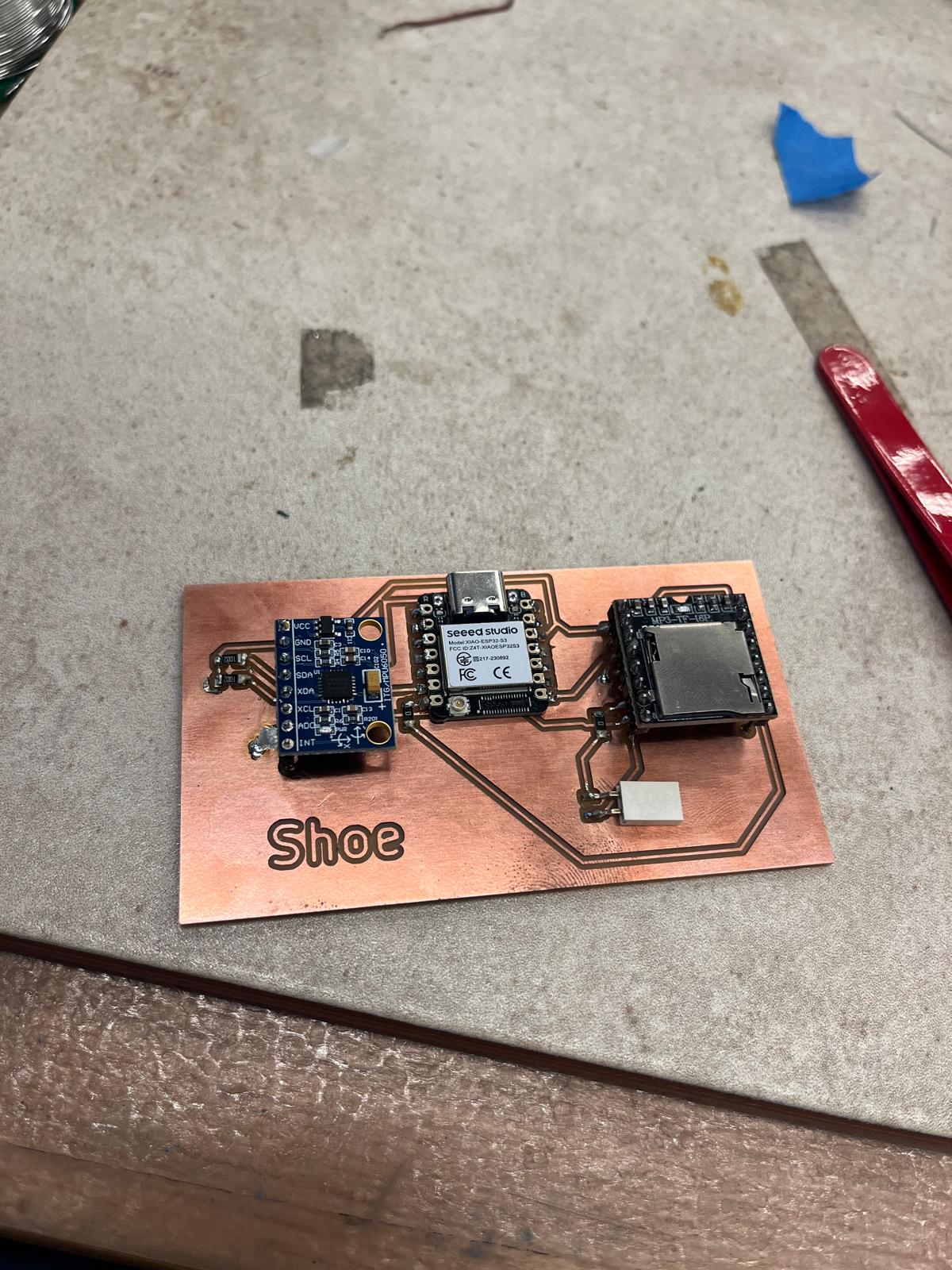
For input week, I already had the benefit of a fully milled and soldered PCB with an onboard accelerometer, designed in Week 4 and fabricated in Week 5. Having a complete and tested board allowed me to focus entirely on using the sensor as an input device rather than debugging hardware connections.
The accelerometer is responsible for detecting motion when the board is moved. Since this project is centered around walking speed, the repetitive motion of steps produces a clear, rhythmic signal that can be interpreted as tempo.
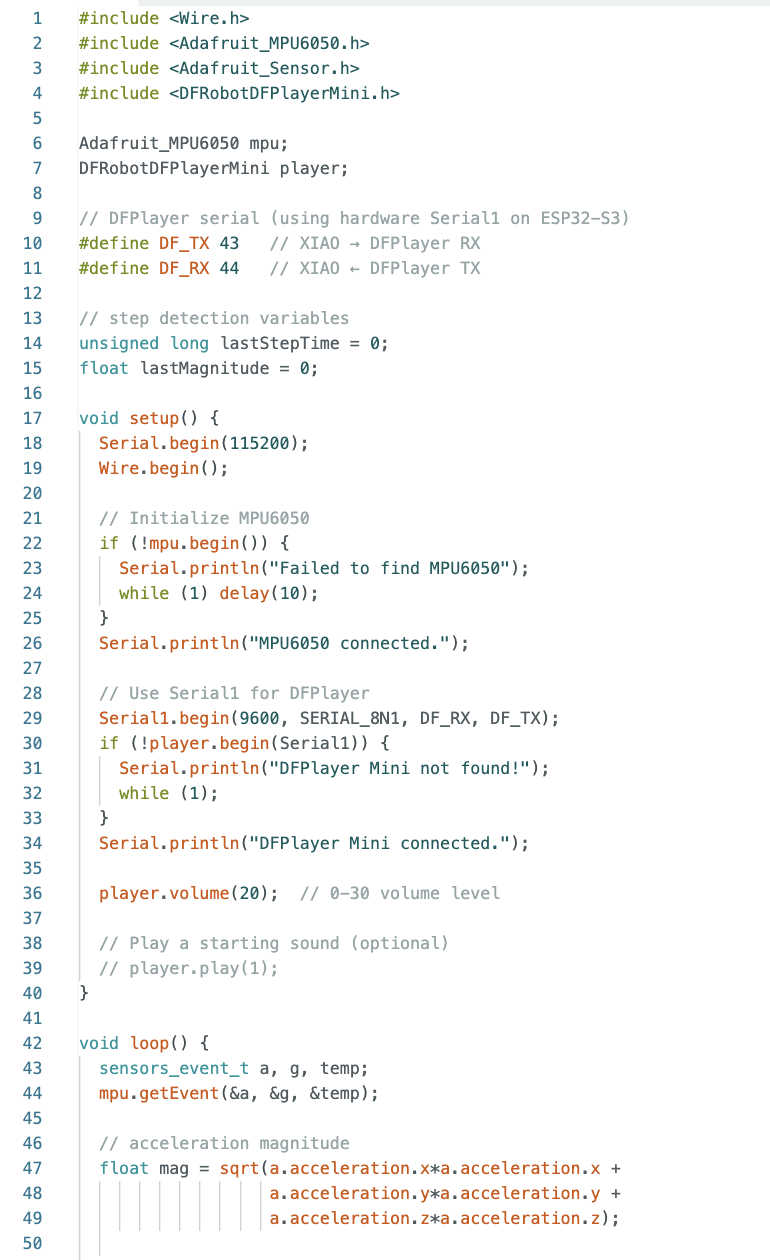
I wrote code to continuously read acceleration data from the sensor and translate that motion into steps per minute (SPM), which maps directly to musical beats per minute (BPM). Rather than relying on a single axis, I calculated the overall acceleration magnitude so that the system would work even if the board rotated slightly while walking.
Each step creates a noticeable spike in acceleration. By setting a threshold, the code detects when a spike exceeds that value and counts it as a step. To prevent double-counting the same step, a short delay is enforced after each detection.
The code shown below handles reading the accelerometer values, detecting step events, and tracking how frequently those steps occur.
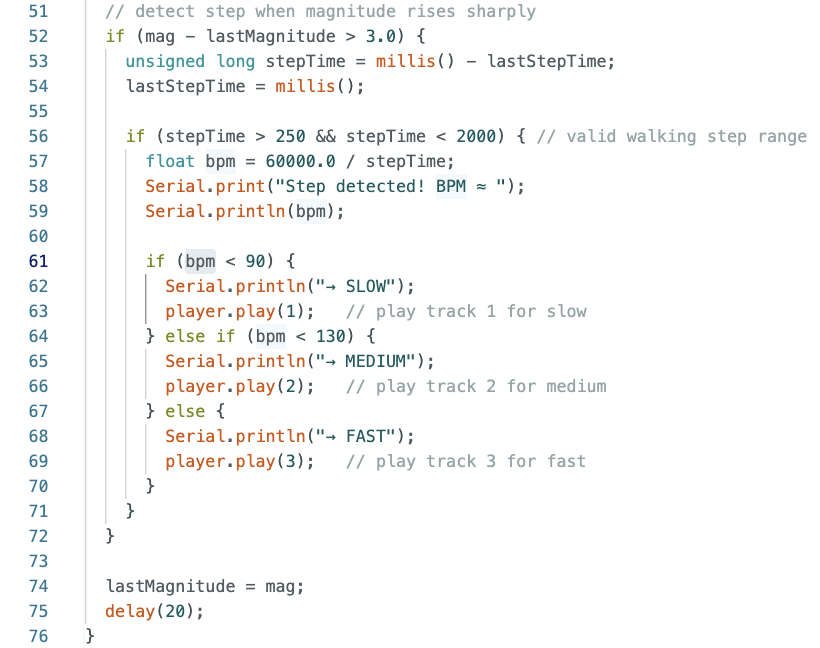
Once steps are detected, the system counts how many occur within a fixed time window and scales that value to compute steps per minute. In early testing, I grouped the results into slow, medium, and fast walking speeds to confirm that the accelerometer input was behaving as expected.
This coarse categorization made it easy to verify that changes in walking pace were being registered correctly before moving on to more precise BPM matching in later weeks.
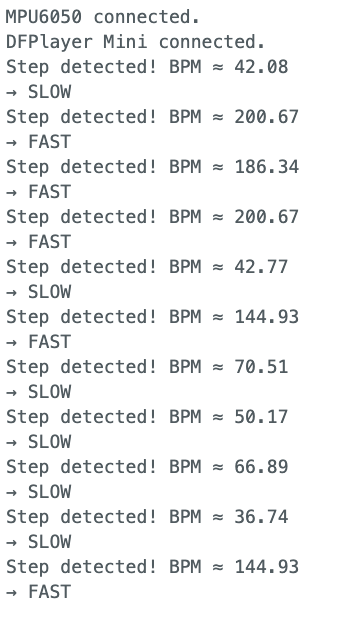
As shown in the output below, changes in walking speed are clearly reflected in the measured BPM values. This confirms that the accelerometer functions successfully as an input device and that physical motion is being reliably converted into tempo data.
This input system forms the foundation of the final project. In Week 8, this BPM information is paired with audio output, and in the Final Project it becomes the core mechanic of the musical shoe.