Week 3 - Embedded electronics
This week's topic is something I've always been super interested in and have been meaning to learn. I'm planning on trying to really get into the weeds of PCB design and circuit design, because I've always been a bit intimidated by it!
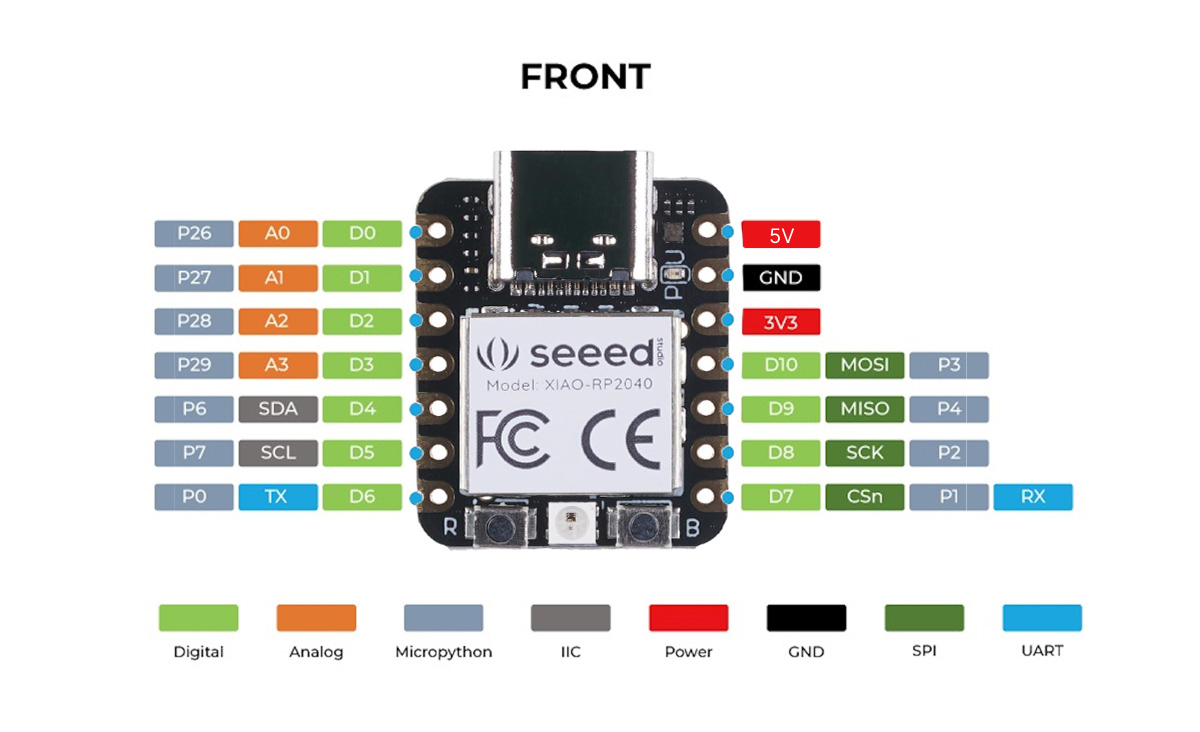
I worked with the Seeed RP2040 Board, which has a pinout design of
First, I did a quick review of soldering (I've done it before but it's been a while, clearly):
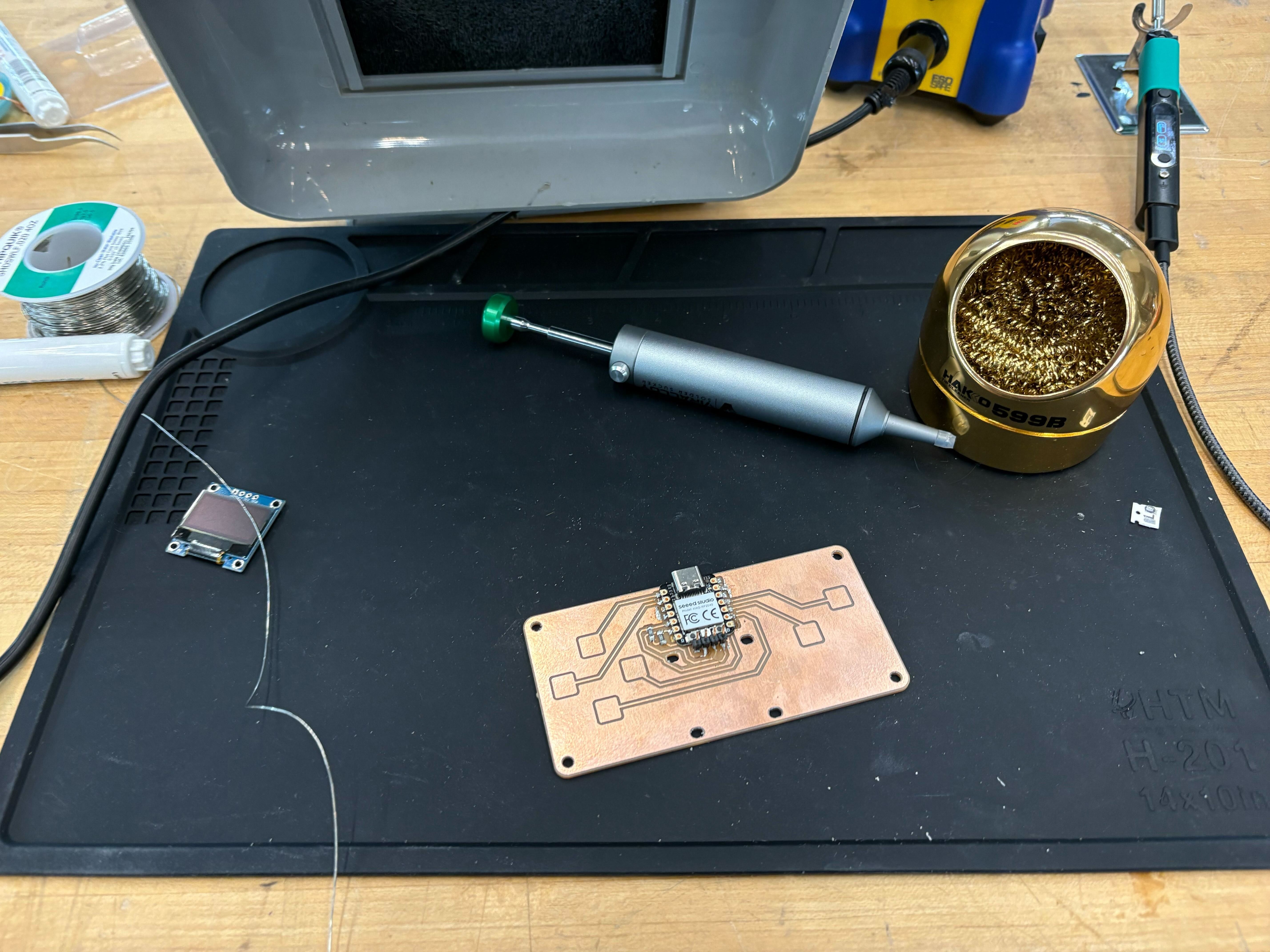
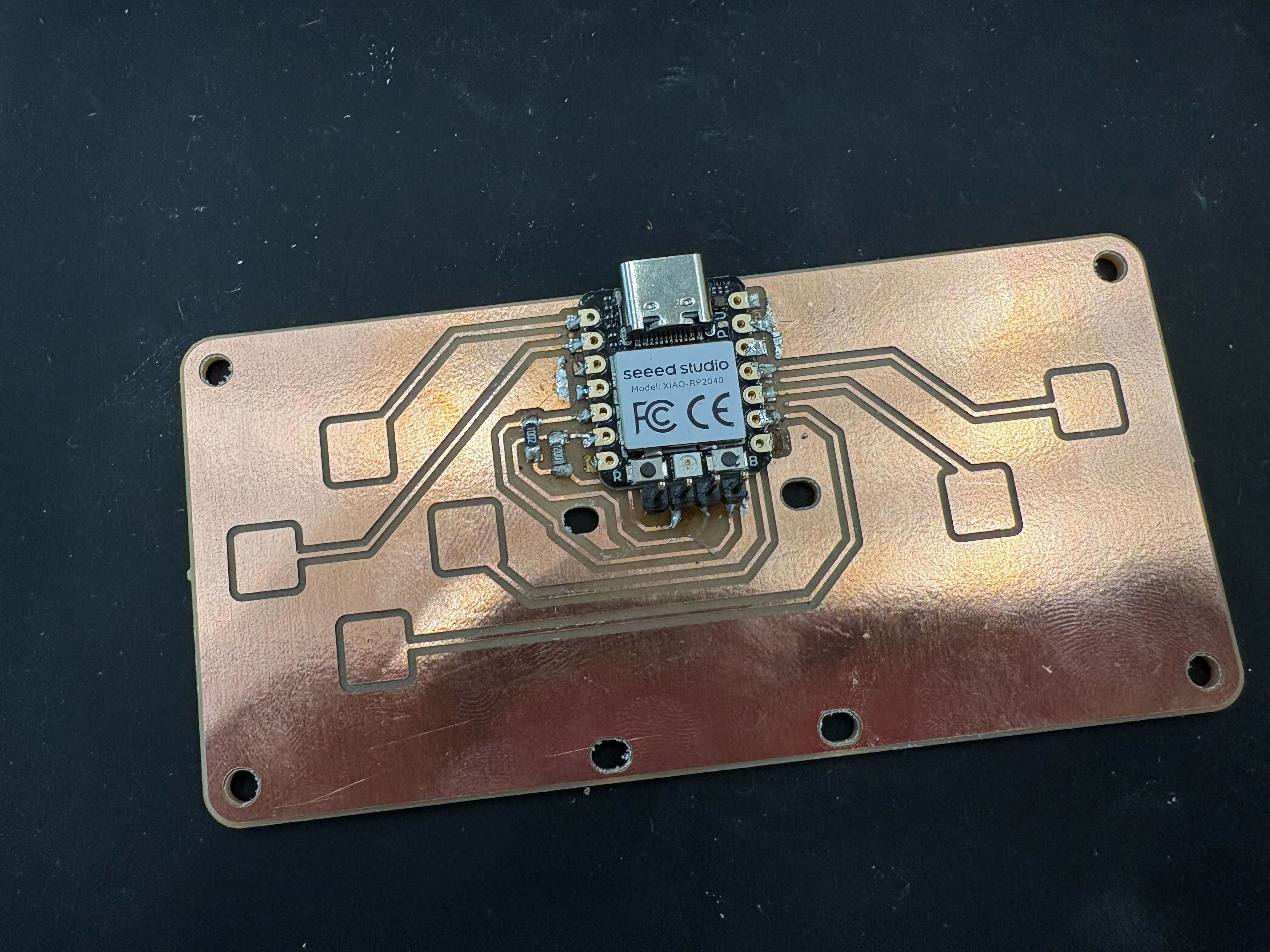
There's been a slight shortage of the most complex boards, so I'm waiting on that, but there's already a lot I can do with this! I've soldered before, but I didn't know there were things you could do with heat guns (on the smaller pin details) and such.
I soldered the 2 10k resistors on the paths and then the Seeed board to the overall board. I made a mistake because I thought I was supposed to link all the pins, which in hindsight was obviously not right. I had to use the solder sucker needle to remove all the melted solder.
Using this guide, I've been able to get the XIAO RP2040 board working with Arduino IDE. I did manage to get some of the test programs working, like the blink program.
Here’s a quick video of the board running the blink program:
// Set the LED pin
const int ledPin = 13; // You can change this to any digital pin number

void setup() {
  // Initialize the digital pin as an output
  pinMode(ledPin, OUTPUT);
}

void loop() {
  // Turn the LED on
  digitalWrite(ledPin, HIGH);
  // Wait for 1 second
  delay(1000);
  // Turn the LED off
  digitalWrite(ledPin, LOW);
  // Wait for 1 second
  delay(1000);
}
There were some supply issues with boards being available this week and, when they had arrived, I wasn't able to spend a bunch of time connecting everything. I'm planning on trying to connect a string of LEDs to the board and see if I can control their lighting based on some input (hopefully maybe audio input?).
Todos:
- ⏳ actually make the external program with the screen
- ⏳ work with the qpad fingerpads